What Is n8n? The Automation Tool Explained (2026)
On this page
A guy I know runs a small e-commerce brand. Fifteen orders a day, give or take. He was paying an agency two grand a month to move data between his store, his email tool, and a spreadsheet his accountant opens twice a month, and when he finally shared his screen and showed me the "system" they built him, I sat there thinking, that's it? Six steps. Six. I could have rebuilt the whole thing in an afternoon for about four dollars a month in hosting.
That's the gap I want to close for you. The tool doing that work isn't some elite developer secret. It's n8n, and once you know what it is, you start noticing overpriced "automation systems" everywhere you look.
What n8n actually is
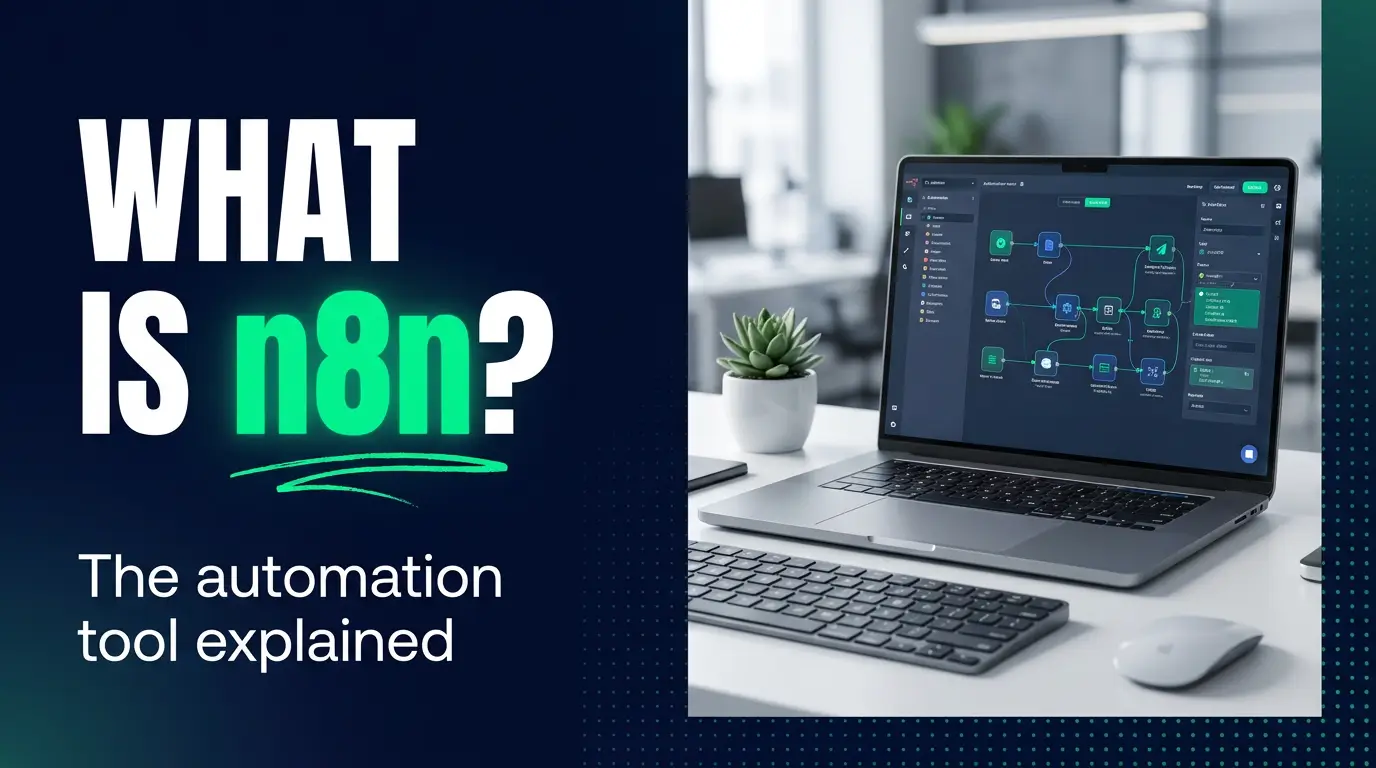
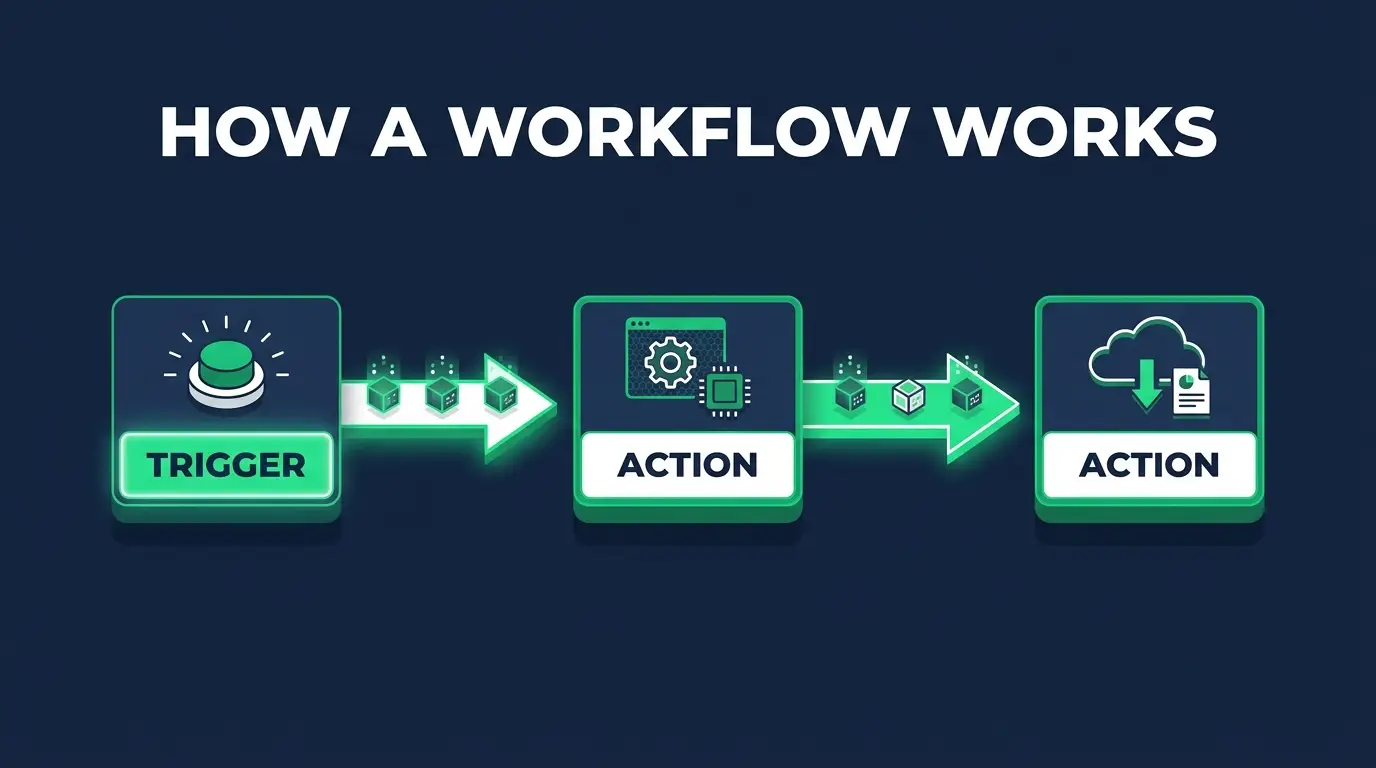
n8n is a workflow automation tool. You give it a starting event and a list of things to do, and it does them, over and over, while you're asleep or at the gym or arguing with someone on the internet.
The whole thing is visual. You work on a canvas, dragging boxes around and drawing lines between them. Each box is a node, and a node is one step.
Two kinds of nodes matter:
- Trigger nodes kick things off. A form gets submitted. A webhook fires. A schedule hits 9am. That's the "when this happens" part.
- Action nodes are the "then do this" part. Send a Slack message. Add a row to Google Sheets. Update a record in your CRM.
Connect a trigger to a chain of actions and data flows down the line. The Slack node can use the name that came out of the form node. The email node can use the order total that came out of the store node. Every step hands its output to the next one.
That's the mental model, and it's most of the tool. If you can say "when X happens, do Y and then Z," you can build it.
Self-hosted vs n8n Cloud
Here's where n8n splits from most tools people know, and where a lot of the money lives.
n8n is source-available software under what they call a "fair-code" license. In plain terms, the code is open for you to read and run yourself. So you can self-host it: put it on your own server, usually with Docker, and run it as much as you want.
Self-hosting is cheap and it gives you control. A small server that runs n8n costs a few dollars a month, and it doesn't much care whether you run 200 automations or 200,000. Your data stays on your machine. But the tradeoff is real and I'm not going to soft-pedal it. You own the maintenance now. Updates, backups, security patches, the thing falling over at 2am on a Sunday. That's your job, or your client's, and you should charge for it accordingly.
n8n Cloud is the hosted version. They run the server, you log in and build. Much easier to start with, since there's no Docker and no command line. You pay a monthly bill that grows with your usage, so check the current plans before you commit to anything.
Most people I coach start on Cloud to learn the ropes, then move to self-hosting once they're running real volume and the math flips. Neither one is wrong. They just answer different questions: do you want to save time, or save money?
The thing I keep telling people is that when you host it yourself, the automation is yours. Yours to price, yours to move, yours to keep when a client asks who owns what.

What you can build with it
"Almost anything that moves data between two apps" is technically the honest answer and it's also useless. Here are real jobs businesses pay for:
- Lead routing. A form fills out on the website, n8n scores it, drops it in the CRM, pings the right salesperson in Slack, fires off a welcome email. All before a human notices the lead came in.
- Data sync. Keep your store, your accounting tool, and your reporting spreadsheet in agreement without anyone copy-pasting. Boring. Quietly saves someone ten hours a week.
- AI content pipelines. n8n has strong AI and LLM nodes, so you can pull a topic, generate a draft with a model, run it past a second prompt to clean it up, and drop it in a review queue. This is where n8n has pulled ahead of the older tools, and it's why people use it to build real AI agents now instead of simple task automations.
- Scrape and notify. Watch a page or a feed. The moment a price changes or a job posting appears, you get a message instead of refreshing tabs like a maniac.
- Invoice processing. An invoice lands in an inbox, n8n reads it, pulls the numbers, logs them, flags anything weird. The kind of task a bookkeeper hates and a workflow loves.
Want a fuller list with the actual node setups? I broke a bunch of these down in n8n workflow examples, and there's a step-by-step build in the n8n tutorial.
n8n vs Zapier vs Make, briefly
Short version, because this deserves its own post and it has one.
Zapier is the easiest to learn and the fastest way to get a simple automation live. It's also the most expensive at volume, because you pay per task and those tasks pile up faster than you'd think.
n8n is more technical and the learning curve is steeper. It's also probably the most flexible option out there, and dramatically cheaper at scale when you self-host. It has a built-in code node, so when you hit the wall of what drag-and-drop can do, you drop in a little JavaScript and keep moving. Zapier makes that much harder.
Make sits in the middle.
I put the two head-to-head in n8n vs Zapier, and compared the other two in Zapier vs Make. If you're picking a first tool, start there.
Is n8n hard to learn?
I'll be straight with you. It's harder than Zapier. The canvas is not going to click in five minutes and I'm not going to pretend otherwise.
But harder isn't hard. You do not need to be a developer. Most of what you build is dragging nodes and filling in fields, and the place people actually get stuck isn't code at all. It's data. Workflows pass information around as JSON, and you'll spend a lot of time reaching into that data to grab a field here, a value there. Get comfortable with what JSON looks like and how APIs hand data back and forth, and the whole tool cracks open.
That comfort takes a couple of weekends. Not a couple of years.
Here's the part nobody says out loud. The folks who actually learn this are charging businesses $500 to $2,000 a month per client to run their automations. Every month, not once. You build the workflow one time, host it for pocket change, and the retainer keeps landing. Land three clients and you've replaced a salary.
That's the whole reason we built the AI automation path at CodingPhase. It takes you from "curious about n8n" to "getting paid to build this," in order, without the guesswork. You can see the roadmap on the AI automations career path, and if you want to know what the job actually looks like day to day, I wrote up how to become an AI automation specialist and rounded up the best AI automation tools worth learning alongside it.

FAQ
Is n8n free? The self-hosted version is free to run and open for you to use. You pay for the small server it lives on, which can be a few dollars a month. n8n Cloud is the paid, hosted option, billed monthly based on usage. I list every plan and price in my n8n pricing breakdown.
Is n8n open source? It's source-available under a "fair-code" license, which is close to open source but not identical. What that means for you in practice: you can read the code, self-host it, and use it for your own work and your clients' work.
Do you need to know how to code to use n8n? No. Most workflows get built by connecting nodes and filling in fields. Comfort with JSON and APIs makes you a lot faster, and the optional code node lets you drop in JavaScript when you want more power, but plenty of people go a long way without writing a line.
n8n vs Zapier, which should I use? Zapier if you want the simplest possible start and you're running low volume. n8n if you want more power, real savings at scale, and the AI stuff, and you're willing to climb a slightly steeper curve. Full breakdown in n8n vs Zapier.
What can I actually build with n8n? Lead routing, syncing data between apps, AI content pipelines, scraping and alerts, invoice processing, and a few thousand other "when X happens, do Y" jobs. See n8n workflow examples for concrete builds.
Can I run n8n on my own server? Yes, and that's a big part of why people choose it. Self-hosting means your data never leaves your infrastructure and you're not paying per execution. It takes an afternoon to set up the first time. How to self-host n8n walks through it.
Can n8n connect to AI tools and models? Yes, and increasingly that's the main reason teams pick it. It speaks to the major model providers directly and can act as an MCP server so AI assistants can trigger your workflows. There's a walkthrough in the n8n MCP server guide.
If you got this far, you already have the itch. That's the hard part, honestly. Most people never get curious enough to ask what the tool behind the magic even is.
So here's my nudge. Don't just read about n8n. Build one thing this week, something dumb and small, and feel it fire. When you're ready to turn that into a skill people pay for, CodingPhase is built for exactly this. Diamond membership is $42/month or $255/year with a 7-day money-back guarantee, and if you want lifetime access there's the Tech Accelerator at $1,500. Either one gets you the AI automation path plus 90+ courses, guided career paths from beginner to job-ready, an 80,000+ member community to get unstuck in, and a job board for when your skills are ready to earn.
You could keep watching other people get paid to build this. Or you could become the person they call. I'd rather it be you.