Best AI Automation Tools
On this page
Here's the line in the sand: collecting AI automation tools is not learning AI automation. It feels like progress. It isn't. Every time you sign up for the new platform everyone's hyped about, your brain rewards you like you did the work. You didn't. You just added another login.
I'll say the unpopular thing out loud. The tool is not the skill. Nobody pays you because you "know Zapier." They pay you because you can look at a messy business and see where the bottleneck is, then wire something up that fixes it and doesn't fall apart on Monday. That ability lives in your head, not in your subscriptions.
So the answer to "what are the best AI automation tools to learn" is smaller than you want it to be. Three or four, learned until they're boring. Not forty, sampled until you're broke and confused.
This isn't a list ranked by who paid for placement. It's the handful I actually reach for, the ones I tell people to learn, and the honest reason each one earns its spot. If you're trying to get hired or land your first paid automation client, this is the stack.
How I picked these
Before the list, here's the filter I ran everything through. A tool makes the cut if it's:
- Something clients actually pay for. Real companies run their operations on these. That's the whole point.
- Worth learning, not just using. A few of these teach you a concept (webhooks, API calls) that transfers to every other tool you'll ever touch. Those matter more than any single app.
- Honest about its ceiling. Every tool here breaks at some scale or price. I'll tell you where.
What I deliberately left out: the "AI agent builder" of the week with no users and no docs. If you can't find three job postings asking for it, you don't need to learn it yet.
One reframe to carry through the whole post: learn the concept, and the tool becomes a detail. The person who understands what a webhook is can pick up any platform in a weekend. The person who only memorized where Zapier hides a button is stuck the moment the client uses Make instead.
Zapier: the on-ramp everyone should start on
Zapier is the friendliest way to connect two apps and make something happen automatically. New row in a sheet, send a Slack message. Form submission, create a CRM contact. It has more pre-built app integrations than anything else, so you rarely have to think about the plumbing.
Good at: speed and approachability. You'll build your first working automation in twenty minutes. The library of connectors is enormous, which means most "small business" jobs are solvable here without touching code.
Bad at: cost at volume and complex logic. Zapier charges per task, and a busy workflow gets expensive fast. Branching, loops, and anything genuinely conditional feel cramped. You outgrow it the moment a client's needs get interesting.
Who it suits: beginners, and anyone serving non-technical small businesses who value reliability over price. Start here. Just don't end here.
Make: where you actually learn to think in systems
Make (formerly Integromat) is the visual canvas where automation starts to feel like engineering. You see every step as a node, you wire them together, you watch the data flow through and inspect it at each stop. Branching, iteration, and data transformation that would fight you in Zapier are natural here.
Good at: complex, multi-step workflows for a fraction of Zapier's cost. The visual debugger is genuinely the best way to understand what an automation is doing, which is why it's my top recommendation for learning.
Bad at: the learning curve is real. The canvas overwhelms people on day one, and the error messages assume you already know how APIs behave. It rewards patience.
Who it suits: anyone serious about doing this for money. If I could only teach one no-code platform, it'd be this one. It builds the mental model everything else relies on. I wrote a full breakdown in Zapier vs Make if you're choosing between the two.
n8n: the developer's escape hatch
n8n is open-source and you can self-host it, which changes the economics entirely. No per-task billing. You drop into code whenever the visual nodes aren't enough. For a developer, it's the one that stops feeling like a toy.
Good at: unlimited runs once you're hosting it yourself, real code when you need it, and full control over your data, which matters for clients who can't send their records to a third party.
Bad at: you have to run it. Hosting, updates, and the occasional broken node are now your problem. The hosted cloud version removes that pain but gives back some of the cost advantage.
Who it suits: people who can already code a little, agencies running high volume, and anyone with privacy-sensitive clients. If you came from a dev background, this is probably where you'll end up living.

LLM APIs (OpenAI, Anthropic, and friends): the "AI" in AI automation
This is the piece that turns a plain automation into an AI automation. Instead of rigid rules, you hand a chunk of text to a model and get back a summary, a classification, a drafted reply, structured data pulled out of a mess. Every platform above can call these APIs, which means the model becomes a step in your workflow.
Good at: the fuzzy, language-shaped work rules can't handle, reading an email and deciding what it's about, turning a transcript into action items, tagging support tickets by sentiment.
Bad at: consistency and cost control if you're careless. Models can return slightly different output each run, so you learn to constrain them (structured output, clear prompts, validation). And token costs add up if you fire one off on every single row without thinking.
Who it suits: everyone in this field, now. You don't need to train models or understand the math. You need to know how to call an API, write a clear prompt, and check the result before trusting it. That skill is the difference between "automation person" and "AI automation specialist" on a job listing.
Airtable: the brain your automations need
Most automations need somewhere to read from and write to. Airtable is a spreadsheet that behaves like a database, with a friendly interface non-technical clients can actually use. It becomes the source of truth your workflows revolve around, leads, content calendars, inventory, whatever the business runs on.
Good at: giving a workflow memory and structure without standing up a real database. Clients love the interface, and it connects to every platform above.
Bad at: scale and price. Past a certain record count it slows down and gets pricey, and serious data work eventually wants a proper database (Postgres, Supabase). It's a fantastic middle, not a forever home.
Who it suits: nearly every client project at the small-to-mid stage. Learn it. You'll use it constantly.
Webhooks and HTTP: the fundamental that beats every tool
This isn't an app, and that's exactly why it's the most important thing on the list. A webhook is just one app saying "this happened, here's the data" to a URL you control. An HTTP request is your automation reaching out to any service on the internet, even one with no pre-built connector.
Good at: connecting the things that don't have an integration. The moment a client uses some niche tool Zapier never heard of, webhooks and HTTP are how you connect it anyway. This is the skill that makes you look like a wizard.
Bad at: nothing, except being slightly intimidating at first. It's a concept, not a product, so there's no hand-holding UI. You read the other service's docs and you figure it out.
Who it suits: literally everyone who wants to be more than a button-clicker. Understand webhooks and HTTP and you stop being limited by what a platform supports out of the box. This is what separates a junior from someone clients trust with the hard problems.
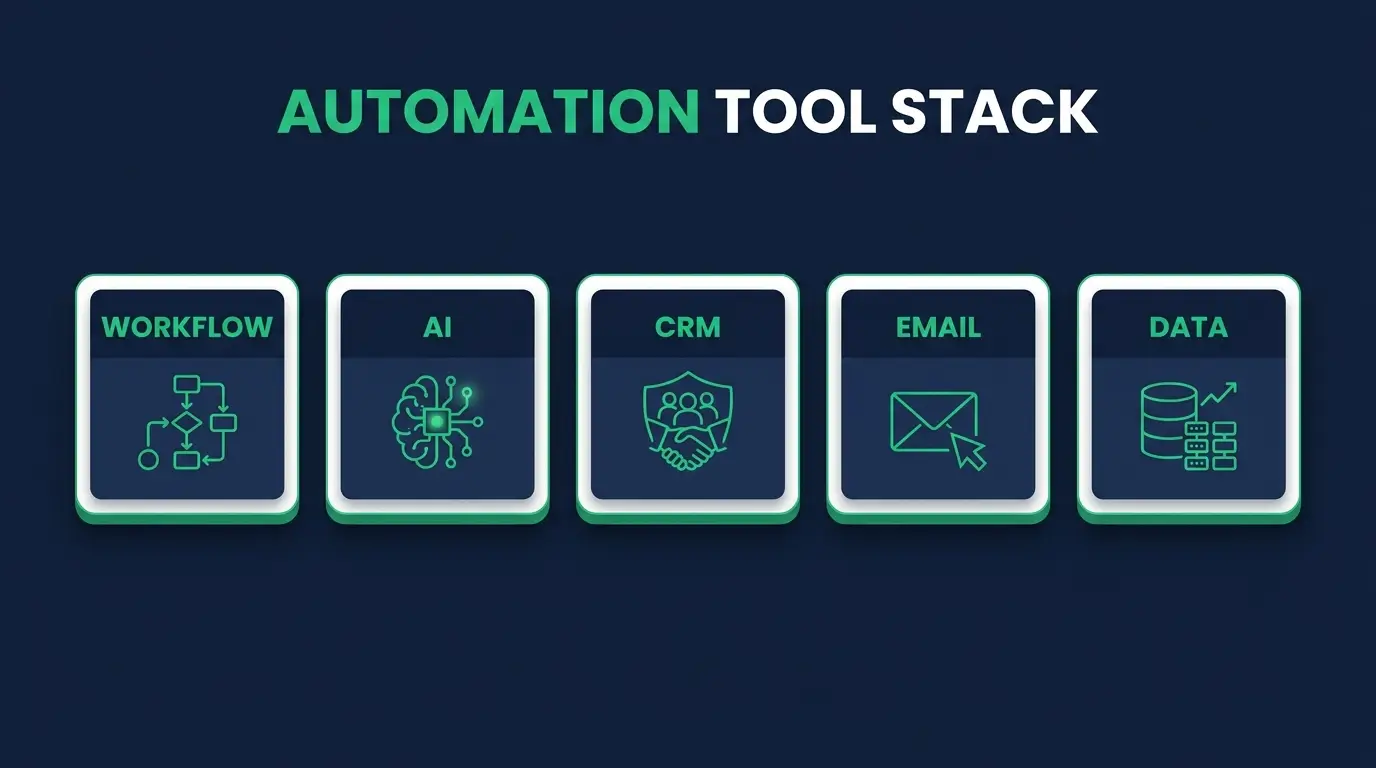
The honest order to learn them in
Don't buy eleven subscriptions like my student did. Here's the path I'd actually walk:
- Zapier for a week, just to feel a working automation and get the dopamine.
- Make next, and stay a while. This is where the real mental model forms.
- LLM APIs as a step inside your Make scenarios, so "AI" stops being a buzzword and becomes a tool you operate.
- Airtable as you start handling real client data that needs to live somewhere.
- Webhooks and HTTP in parallel the whole time, because the concept makes every other tool more powerful.
- n8n when you're ready to host your own and care about cost and control.
That's six things, learned in order, with reasons. It beats forty tabs of half-watched tutorials every time.
FAQ
What's the best AI automation tool for beginners? Zapier to feel your first win, then Make to actually learn. Make's visual debugger teaches you how data moves through an automation, which is the skill everything else builds on. Don't skip straight to the advanced tools, the mental model matters more than the platform.
Do I need to know how to code to use these tools? No, but a little goes a long way. Zapier, Make, and Airtable are no-code first. The moment you can read API docs, write a clear prompt, and understand webhooks, you can charge more and solve problems other automation people can't touch. Coding is the multiplier, not the entry fee.
Is Zapier or Make better? Zapier wins on ease and sheer number of connectors. Make wins on power, complex logic, and price at volume. For learning the craft and for serious client work, I lean Make. Full comparison in Zapier vs Make.
Which tool should I learn to actually get hired? Make plus comfort with LLM APIs and webhooks is the combination that shows up on real job postings and impresses clients. Those three together signal you understand systems, not just buttons. The rest are supporting players.
Are these AI automation tools worth paying for? The ones you actively use, yes. The eleven you bought from YouTube ads, no. Subscribe to one platform you're learning deeply at a time. Cancel anything you haven't opened in two weeks.
Which of these help with content specifically? Content workflows have their own tooling and their own failure modes, mostly around quality control. AI content automation covers what works and what quietly damages your site.
If your tool bill looks anything like my student's, the fix isn't another platform. It's picking the few that matter and going deep enough that the tool disappears and the thinking takes over. That's the whole game.
If you want the bigger picture of what this career actually looks like, the day-to-day, the pay, the roadmap. I laid it out in how to become an AI automation specialist, and the full AI Automations career path walks you through it step by step. Start with one tool this week. That's how everyone who does this for a living started too.