Zapier vs Make: Which Automation Tool to Learn
On this page
You've got both pricing pages open right now, don't you. Zapier in one tab, Make in the other, a third tab full of "Zapier vs Make" articles that all somehow land on whichever one pays the best affiliate commission. You've watched a couple of YouTube walkthroughs. You've maybe even built the same little automation in both just to feel the difference. And you still can't commit.
I get why. This isn't a small choice. You're not just picking software for a weekend project. You're deciding which tool to actually get good at, the one you'll put on a resume or sell to clients. Bet wrong and you either outgrow it in three months or drown in complexity you never needed.
Here's the thing nobody comparing these two will tell you straight: they're both good. They're just good at different things, for different people, at different budgets. The real question isn't "which one wins." It's "which one fits the work you're trying to do."
So let me walk you through it the way I'd talk it through with you in person. Tradeoffs left in, no winner crowned before we've earned it. (If Make is brand new to you, what Make.com is covers the basics first.)
What they actually are
Both are no-code automation platforms. You connect apps, set a trigger ("a new row hits this spreadsheet"), and chain actions ("create a contact, send a Slack, file it in Notion"). Neither requires you to write code, though both reward you for understanding how data moves.
The difference is the shape of how you build.
Zapier thinks in lines. A trigger at the top, steps stacked underneath, top to bottom. A Zap. It reads like a to-do list and that's the whole point.
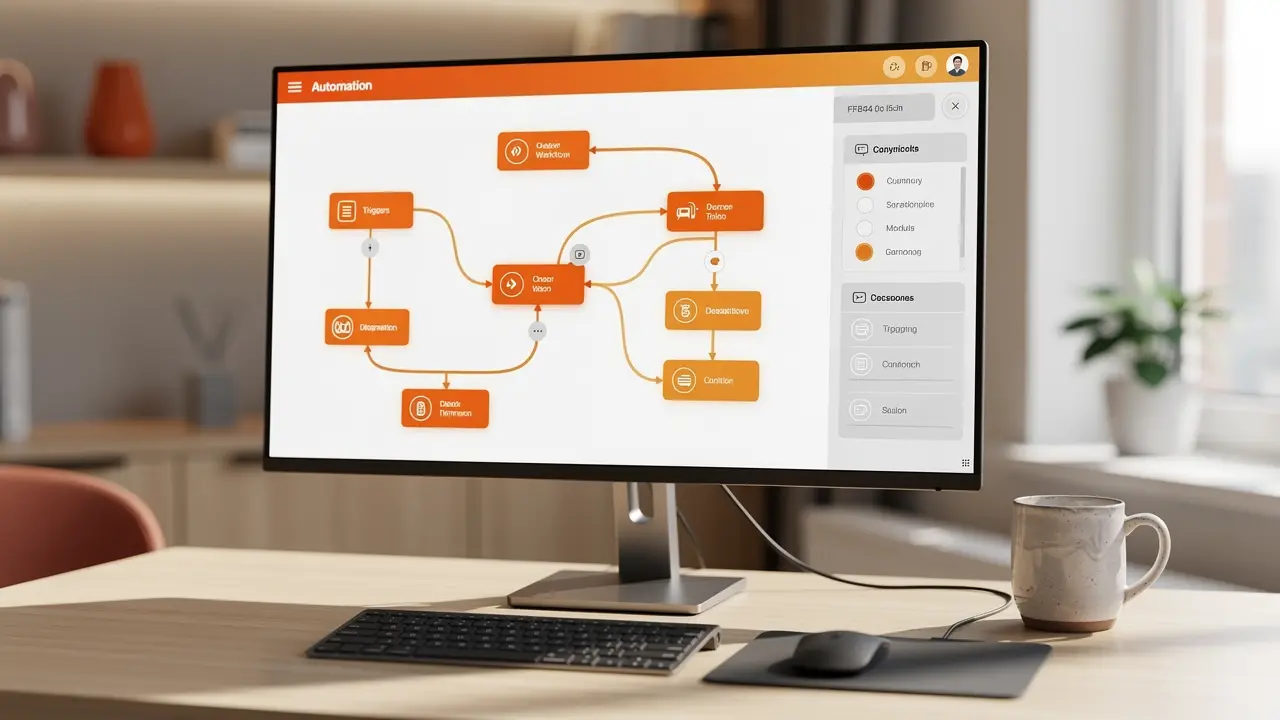
Make thinks in maps. Your automation is a canvas of connected circles called modules, wired together like a flowchart. A Scenario. You can see branches, loops, and merges as actual shapes on a board.
That one design choice ripples into everything else.
Ease of use: Zapier wins, and it isn't close
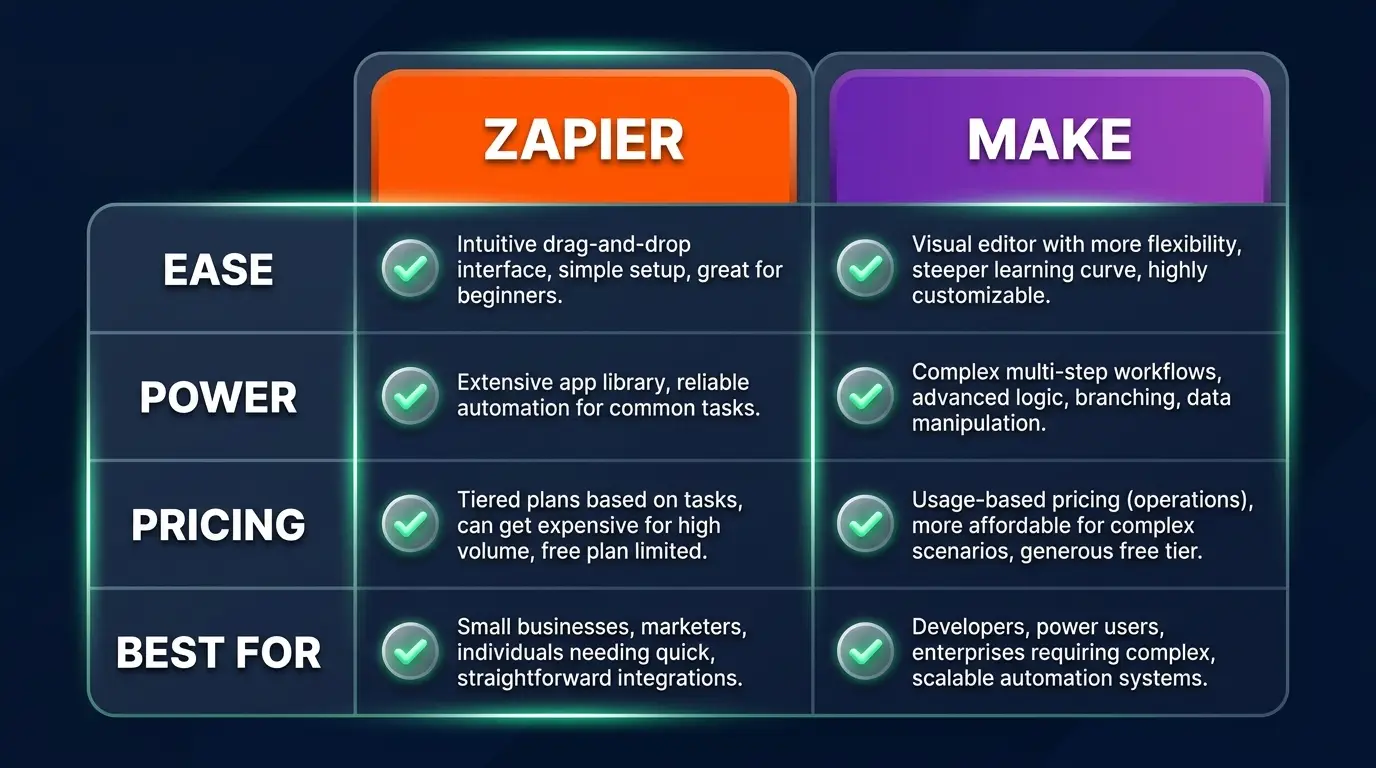
If you've never automated anything in your life, Zapier gets you to a working result faster than anything else on the market. The setup is a conversation. Pick an app, pick a trigger, fill in the blanks, turn it on. I've watched complete beginners ship a real, useful Zap in under ten minutes and feel like wizards.
Make has a steeper first hour. The canvas is powerful, but powerful things look intimidating before they look obvious. The first time you see a Scenario with twelve modules and a router splitting into three paths, your brain does a small flinch.
The tradeoff: Zapier's simplicity is also a ceiling. The thing that makes it easy on day one is the same thing that boxes you in on day ninety. Linear is friendly until your real-world process refuses to be linear.
Power and flexibility: Make, by a wide margin
Real business processes branch. "If the deal is over five grand, route it to sales; otherwise drop it in the nurture sequence." Make handles that visually and natively. Routers, iterators that loop over arrays, aggregators that bundle results back together, error handlers that catch a failure and reroute instead of just dying. You can build something close to an actual application.
Make also lets you reach into raw data, manipulate JSON, transform values with built-in functions, and call almost any API directly. When an integration doesn't exist, you build it yourself with an HTTP module. That's the escape hatch that turns a no-code tool into a no-ceiling tool.
Zapier can branch too (Paths) and run code steps, but it always feels like you're bending a linear tool to do a non-linear job. The further you push it, the more you feel the resistance.
The tradeoff: Make's power is a loaded gun pointed at your own foot. More control means more ways to build something fragile, expensive, or quietly broken. Flexibility you don't understand isn't a feature. It's a liability with a nicer UI.

Pricing: the part that actually decides it
This is where people get burned, so read slowly. The two tools charge for fundamentally different things.
Zapier charges per task. Every single action a Zap performs is a billable task. Created a contact, sent an email, updated a row? That's three tasks. The numbers feel fine at low volume and get scary fast at scale. A busy automation can chew through your monthly allowance in a week.
Make charges per operation, and an operation is cheaper and more granular. You generally get far more operations per dollar, and Make's design lets one Scenario do more work per run. For the same real-world workload, Make is usually meaningfully cheaper, often dramatically so once volume climbs.
So the honest money verdict: at tiny volume, the price gap barely matters and Zapier's ease is worth the premium. At real volume, Make's operations model can be the difference between a profitable automation and one that eats its own ROI.
The tradeoff: cheap operations don't help you if you can't build the Scenario in the first place. Plenty of people pay Zapier's premium happily because their time is worth more than the difference. Cheaper isn't cheaper if it costs you a weekend.
Scaling and the learning curve
Here's the pattern I see over and over. People start on Zapier because it's easy, build a handful of Zaps, then hit a wall, either a process too complex to express in a line, or a task bill that made them spit out their coffee. Then they migrate to Make and wish they'd started there.
That doesn't mean start with Make. It means know which wall you're walking toward.
For learning curve: Zapier you'll be productive in an afternoon and competent in a week. Make you'll be confused for a few days, productive in a week or two, and genuinely dangerous in a month. The Make investment is bigger up front and pays back longer.
Which one to learn for a career
This is the part the student actually cared about, so let me be blunt. If you want to get paid to automate, learn Make as your primary tool, and stay fluent in Zapier.
Here's the reasoning. Clients who pay automation specialists real money have complex, branching, high-volume problems. Those problems live in Make's wheelhouse, and they're the ones where Zapier's task pricing quietly bleeds a business dry. Being the person who can rebuild someone's runaway Zapier bill as a lean Make Scenario is a genuine, billable skill. I get into this more in how to become an AI automation specialist.
But don't skip Zapier. Half your future clients will already be on it, lots of small jobs are perfectly served by it, and knowing both lets you give honest advice instead of selling the one tool you happen to know. The specialist who says "honestly, your case is simple enough that Zapier is the right call" earns more trust than the one who reflexively over-engineers everything in Make.
If you want the wider toolkit these two sit inside, I broke it down in the best AI automation tools, and the full roadmap lives on the AI automations career path.
The verdict
The reframe I keep coming back to: pick the tool that fits the job in front of you, not the one that flatters your skill level.
Pick Zapier if you're new, your processes are mostly linear, your volume is low, you value speed-to-working over control, and your time is worth more than the task fees. It's the fastest path from idea to a thing that runs.
Pick Make if your automations branch, your volume is climbing, you care about cost per run, you want to manipulate data and call APIs directly, and you're willing to trade a harder first week for a much higher ceiling. It's the tool you grow into instead of out of.
For a career: Make first, Zapier alongside. Build deep in the tool that solves the expensive problems, stay fluent in the one everyone already uses.
FAQ
Is Make harder to learn than Zapier? Yes, noticeably, at the start. Zapier's linear builder is one of the gentlest learning curves in software. You'll ship something useful in an afternoon. Make's visual canvas takes a few days to click. The payoff is that Make's ceiling is far higher, so the extra effort buys you room to grow instead of a wall to hit.
Is Make cheaper than Zapier? For most real workloads, yes. Zapier bills per task (every individual action), while Make bills per operation, which is more granular and usually gives you far more work per dollar. At very low volume the difference is small; as volume grows, Make's pricing model tends to win clearly.
Can Make do everything Zapier can? Functionally, Make can do everything Zapier does and a lot it can't, thanks to routers, iterators, error handling, and direct API calls. What Zapier does better is get you there faster with less thinking. Zapier wins on ease and speed, not on capability.
Which should I learn first if I want automation work? Learn Make as your main tool because the high-paying, complex client problems live there, but stay fluent in Zapier because many clients already use it and plenty of jobs don't need anything heavier. Knowing both lets you recommend honestly instead of selling whatever you happen to know.
Can I switch from Zapier to Make later? You can, and many people do once they outgrow Zapier's pricing or hit a process too complex for a linear flow. There's no automatic migration. You rebuild the logic in Make's canvas, but the concepts (triggers, actions, data mapping) carry straight over, so it's a rebuild, not a restart.
If you're staring at two browser tabs like my student was, stop trying to crown one winner. Learn the concepts that live underneath both, triggers, data mapping, branching, how a system passes information from one app to the next, and the specific tool becomes a detail you can swap. That understanding is the thing that actually compounds into a career, and it's exactly what I'd want you building deliberately rather than guessing your way through. You've got this.