n8n Workflow Templates and Examples: 10 You Can Build and Sell
On this page
Most of the n8n workflows people post to look clever are four nodes and a webhook. Trigger, HTTP request, Slack message, applause. They demo beautifully and solve nothing a business would pay to keep running.
The workflows worth stealing are the boring ones. The ones that quietly move data between tools a company already pays for, every hour, while nobody watches. Those turn into a monthly invoice.
I've watched a lot of people learn n8n, build one flashy AI demo, and then freeze because they can't connect it to a real problem. So here are ten that map to money. You'll get the node chain for each, and my honest read on who actually pays.
If you're brand new to the tool, start with what n8n is and the step-by-step n8n tutorial first, then come back for the ideas. And if you came here looking for n8n workflow templates to import, I cover where to find them and how to vet one before it touches real data further down. Most of these ten have a starting template in n8n's library, so you rarely build from a blank canvas.
One line to carry through the whole thing: a workflow is only worth building if someone would notice when it stops.
What are n8n workflow templates?
An n8n workflow template is a ready-made workflow, saved as JSON, that you import into your own n8n instance and then connect to your own accounts. n8n's official library has more than 10,000 of them, free to use. A template gives you the nodes and wiring. You still supply the credentials, the settings, and the judgment.
The examples below are the ones I'd actually build for a client. Treat any template as a head start on one of them, not a finished product.
Marketing workflows
Marketers are the easiest sale, because they already know that copy-pasting all afternoon is time they didn't spend on strategy.
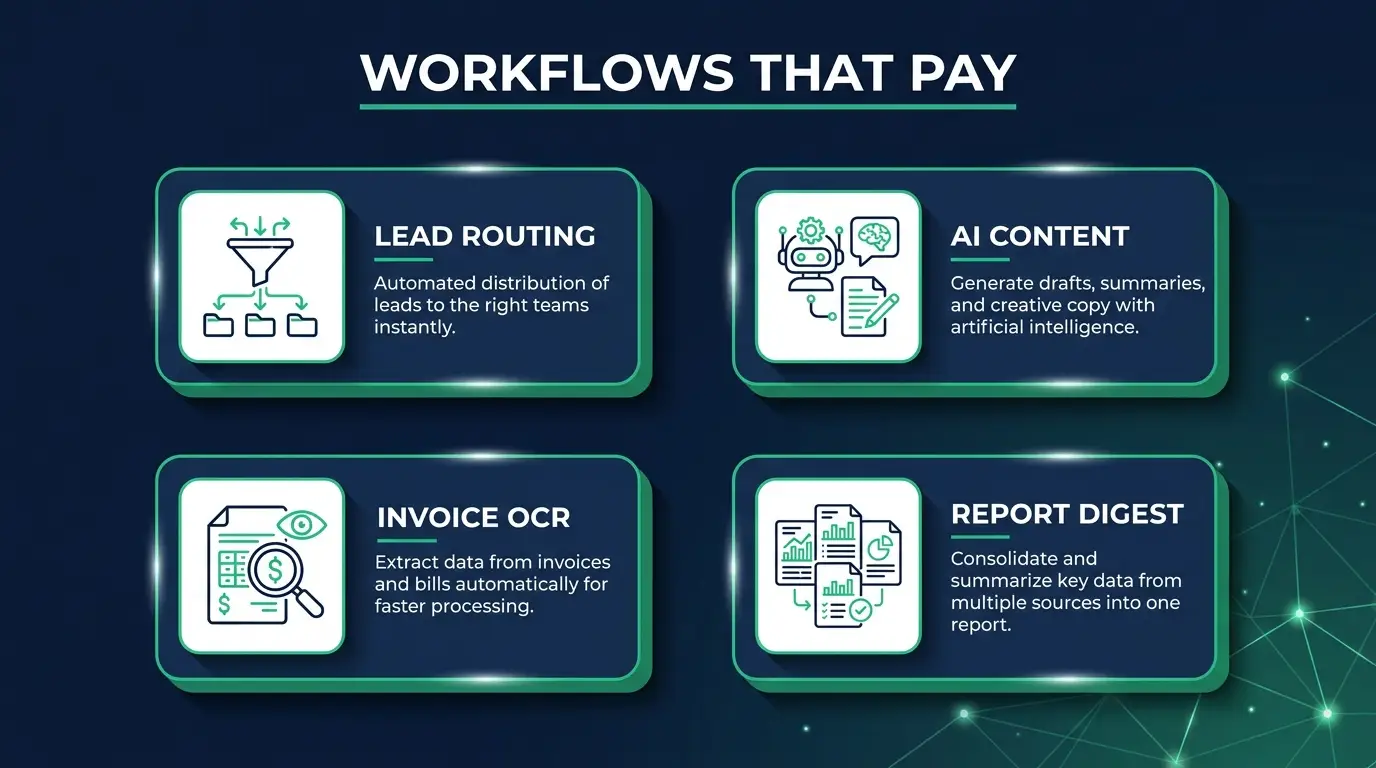
1. Lead capture, enrich, and route (beginner). A form lead comes in, gets cleaned up, gets scored, and lands where sales actually looks.
Node chain: Webhook (form submission) -> HTTP Request (enrichment API like Clearbit or Apollo) -> IF/Switch (route by company size or budget) -> HubSpot/Airtable node (create contact) -> Slack node (alert the owner).
Who pays: any B2B service business drowning in Typeform submissions nobody follows up on fast enough. $300-600/mo, and you can prove it, because speed-to-lead is one of the few things a client can measure without you explaining the math to them.
2. Abandoned-form and abandoned-cart follow-up (intermediate). Someone starts a checkout, bails. The flow waits, checks whether they finished, nudges them if they didn't.
Node chain: Webhook (form/cart started) -> Wait node (30-60 min) -> HTTP Request (check if the order or submission completed) -> IF (not completed) -> Email/SMS node (send the nudge).
The first version of this I built emailed a guy who had already bought, because the completion check was reading a stale order status and my Wait was too short for their payment processor to settle. He was polite about it. His agency owner was not. Set the wait longer than you think, and re-check the order right before you send, not before you wait.
Who pays: e-commerce stores and course sellers. Recover 5% of abandoned carts and your retainer pays for itself ten times over. Easy build, but the tracking has to be honest.
3. AI content pipeline: news to draft social posts (intermediate). Pull fresh articles in the client's niche, summarize, draft posts in their voice, queue everything for a human.
Node chain: RSS Feed / Schedule Trigger -> HTTP Request (fetch full article) -> AI/LLM node (summarize + draft 3 posts) -> Airtable or Notion node (save as "pending approval") -> Slack node (ping the marketer to review).
Who pays: personal brands, founders, small marketing teams. Comfortable $500-1000/mo. The approval step is the whole trick, and I'd argue it's the reason the flow survives past month two. One hallucinated stat published to 40,000 followers and the relationship is over.
Sales and CRM workflows
Sales teams buy anything that takes admin off the day, because admin is what keeps them off the phone.
4. New customer onboarding across apps (intermediate). Deal closes, customer gets set up everywhere, nobody has to remember the checklist.
Node chain: Stripe/CRM Trigger (payment or "won" stage) -> Create records in parallel: Google Workspace or app account, project in Asana/ClickUp, contact in the email tool -> Email node (branded welcome) -> Slack node (notify the account manager).
Who pays: SaaS companies and agencies onboarding by hand. Every new customer is 30-45 minutes of clicking. Multiply by their monthly signups and you have the number that goes on the invoice.
5. Support ticket triage with AI tagging (advanced). Every ticket gets read, categorized, prioritized, and routed before a human touches it.
Node chain: Email/Help-desk Trigger (Zendesk, Freshdesk, Gmail) -> AI/LLM node (classify: category + urgency + sentiment) -> Switch (route by category) -> update ticket + assign -> Slack node (escalate anything flagged angry or urgent).
It's advanced because the classifier has to be tuned to their actual product, not to a generic taxonomy you copied from a template. Budget a week of watching it get things wrong. But once it runs, nobody wants to go back, and that stickiness is what you're really selling.
Operations and finance workflows
The least glamorous work on this list. Which is exactly why the money is good and almost nobody is competing for it.
6. Invoice and receipt data extraction (advanced). PDF invoice lands in an inbox, the numbers come out, nobody types them.
Node chain: Email Trigger or Google Drive Trigger (new PDF) -> Extract From File node (get the text) -> AI/LLM node (pull vendor, amount, date, line items into structured JSON) -> Google Sheets or QuickBooks node (append the row) -> Slack node (flag anything the AI wasn't confident about).
Who pays: bookkeepers, small finance teams, agencies reconciling vendor bills. Two warnings. Scanned PDFs come out of Extract From File as garbage or nothing at all, so you'll need an OCR step in front for those, and clients never mention that half their vendors send scans. And that confidence flag at the end matters more than the extraction: a wrong number that lands silently in QuickBooks is worse than no automation.
7. Website or price change monitor (beginner). Watch a page, tell the client when it changes.
Node chain: Schedule Trigger (hourly/daily) -> HTTP Request (fetch the page) -> HTML Extract node (grab the target value) -> Compare against the last stored value (Data Store or a Sheet) -> IF (changed) -> Slack/Email node (notify).
Fastest thing on this list to build. Competitor pricing, job boards, stock levels, whatever. Clients love it because it feels like a superpower and you built it before lunch. Great first paid deliverable.
8. Scheduled data sync between two SaaS tools (intermediate). Two tools that don't talk, kept in agreement on a schedule. No more exporting a CSV every Monday.
Node chain: Schedule Trigger -> Source node (read records from tool A, e.g. Airtable or a database) -> transform/map fields -> Destination node (upsert into tool B, e.g. a CRM or Google Sheet) -> log the run.
Who pays: basically every business running two systems that "almost" integrate. Unglamorous, permanent, and the kind of thing that sits on a retainer for years because nobody wants to own it internally.

AI and reporting workflows
AI makes these possible. The boring scheduling and formatting around it is what makes them sellable.
9. Daily metrics digest (intermediate). Numbers from a few APIs every morning, formatted, in their inbox before coffee.
Node chain: Schedule Trigger (7am) -> multiple HTTP Request nodes (Stripe revenue, GA4 traffic, ad spend) -> Merge node -> AI/LLM node (write a short plain-English summary of what changed) -> Email or Slack node (send the digest).
Who pays: founders and marketing managers who currently log into five dashboards to answer "how did we do yesterday?" The AI commentary is what makes it feel premium instead of a data dump. Bundle it or sell it standalone.
10. Inbound email classify and auto-draft reply (advanced). Read the email, work out what it wants, draft a reply the client only has to approve.
Node chain: Gmail/Outlook Trigger -> AI/LLM node (classify intent + urgency) -> Switch (sales / support / spam / personal) -> AI/LLM node (draft a reply using a knowledge base or past emails) -> Gmail node (save as draft) -> Slack node (notify: "draft ready to review").
Who pays: solo founders and small teams buried in repetitive email. This is the high end of the list, $1000-2000/mo territory, and people pay it quietly and keep paying. Human approves before send. That rule is not negotiable, for quality and for trust.
Where to find n8n workflow templates
The best place to start is n8n's own library at n8n.io/workflows: more than 10,000 free templates, searchable by app and sorted into categories like AI, Sales, Marketing, IT Ops, Document Ops, and Support. Community collections on GitHub, Reddit, and the n8n forum add thousands more, with far less quality control.
Here's how I rank the sources, most trustworthy first.
The official template library. Every template has a page showing the nodes it uses, a description, and a Use for free button. Some come from verified creators, which is a decent quality signal. You can also reach the library from inside the editor through the Templates icon. Search by the app you care about ("HubSpot", "Gmail", "Google Sheets") rather than by a vague goal. You'll find something close to most of the ten workflows above.
The n8n community forum. Builders post workflows with the JSON attached, usually with a thread of people pointing out what broke for them. That thread is the real value. Read it before you import.
GitHub and Reddit collections. Repos like awesome-n8n-templates and Reddit posts titled "all the n8n workflows I could find (1000+)" are fun to browse and genuinely useful for ideas. They're also where you'll find stale node versions, hardcoded API keys someone forgot to remove, and workflows nobody has run in a year. Treat them as sketches.
Paid template shops. Gumroad bundles and third-party marketplaces sell templates, some good, some a free library template with a new name and a price tag. Before you pay, search the official library for the same thing. It's often already there.
If you self-host and run a team, you can even point n8n at your own private template library with the N8N_TEMPLATES_HOST environment variable, so everyone starts from your house versions instead of random internet JSON.
How to import and use an n8n template safely
Import the template, create your own credentials for every node that needs one, read every Code and HTTP Request node, check for community nodes, then test it on fake data with outputs pointed at yourself before you activate it. Ten minutes of checking beats explaining to a client why their customers got a test email.
Here's the full routine I use.
- Get it into your instance. From a template page, click Use for free. If you have the JSON instead, you can paste it straight onto the canvas (Ctrl+V or Cmd+V), or use the three-dot menu and choose Import from File or Import from URL.
- Rebuild the credentials. A template never includes anyone's credentials. Every node that needs an account will show a warning until you connect your own. Create them fresh and give them clear names, because exported workflow JSON includes credential names.
- Hunt for hardcoded secrets. n8n's docs warn that HTTP Request nodes imported from cURL can carry authentication headers inside them. Open every HTTP Request node and look at its headers and query parameters. If you find someone else's API key, delete it and never use it.
- Check for community nodes. If a template uses a node that isn't built in, n8n will ask you to install a community package from npm. n8n's own docs say community nodes have full access to the machine n8n runs on and to your workflow data. Stick to verified community nodes, or rebuild that step with an HTTP Request node.
- Read the Code nodes and the URLs. You're looking for one thing: where does data go? A Code node or HTTP Request that posts your data to an address you don't recognize is a hard no.
- Swap every output to yourself. Before the first run, change email recipients, Slack channels, and CRM targets to test destinations you own. Templates are written for the author's setup, and "send to all contacts" is one misread field away.
- Test with fake data, then activate. Run it manually on sample data, check each node's output, add an error workflow so failures reach you, and only then turn it on.
One more thing people skip: templates get old. Nodes get new versions, and a template published eighteen months ago may use an older version of a node, or an AI prompt tuned for a model that's since changed. If a node looks different from the one in your node panel, rebuild it with the current version.
The honest tradeoff with templates is that they save you the wiring and none of the thinking. Every template on this list still needs the client's real fields, the edge cases, and that human approval step. That's the part you get paid for.
Turning these into a business, not a hobby
Look at the pattern. Every workflow up there has a trigger a business cares about, a transformation that used to eat someone's afternoon, and a notification so a human stays in the loop. That structure is the product. The specific tools barely matter.
The builders making real money mostly aren't chasing the flashiest demo. They pick two or three of these, get properly good at them, and sell them as a monthly service. One person running five of these for five clients is somewhere in $2,500-10,000/mo without hiring anyone. That's the one-person-agency model, and automation is probably the cleanest way into it right now.
If you want the structured path instead of piecing it together from scattered videos, that's what CodingPhase is built for. The AI automation career path walks you from your first workflow to packaging and pricing client work, and how to become an AI automation specialist lays out the full roadmap.
Diamond Membership lists at $60/month or $365/year, and there's always at least 30% off, so you'll really pay about $42/month or about $255/year (roughly $21/mo). There's a 7-day money-back guarantee, so you can try it and bail if it isn't for you. If you'd rather pay once and own it, the Tech Accelerator is $1,500 lifetime and adds live weekly mentorship on top of every course. Either way you get the automation path plus the one-person-agency playbook that turns these workflows into invoices.

FAQ
Do I need to know how to code to build these n8n workflows? No, and that's the point. n8n is visual, so you drag nodes and connect them. Light JavaScript in a Code node helps for the advanced ones, mostly custom transforms and awkward data shapes, but you can build and sell everything beginner and intermediate on this list without writing much at all.
How much can I actually charge for one of these? It depends on the pain you're removing. A simple page monitor might be $150-300/mo. A support triage or email-drafting system that saves a team hours a day can run $1000-2000/mo. Price the value, not your build hours. The client is buying time back, and they don't care that you finished it on a Sunday.
Is n8n better than Zapier for client work? For agency and reseller work, usually yes, because self-hosting kills the per-task fees that wreck your margins at scale. Zapier is faster to start and has more prebuilt integrations, which sometimes matters more than the money. I break the tradeoffs down in n8n vs Zapier so you can pick per client instead of picking a side.
What's the fastest workflow to build first? The page or price monitor (number 7) or the lead-routing flow (number 1). Both beginner-level, both solve something a business feels immediately, and both make a first paid deliverable you can point at when you pitch the next client.
Are n8n templates free? The ones in n8n's official library at n8n.io/workflows are free to use, and so are most community templates on GitHub and the forum. Some creators sell templates on their own sites or marketplaces. Running a template isn't free, though: it uses executions on n8n Cloud, or your own server if you self-host, and any AI calls bill through your AI provider.
Do templates work on self-hosted n8n? Yes. A template is just workflow JSON, so it imports the same way into Cloud or a self-hosted n8n instance. The one catch is community nodes: if a template depends on one, you have to install that package on your instance first, and I'd only do that for verified ones.
Can AI build an n8n workflow for me? Partly. n8n Cloud plans include an AI Assistant (still in preview) that can build and edit workflows from a description, and you can hook AI tools into n8n through MCP, which I explain in n8n MCP servers. Both get you a draft fast. You still have to check the credentials, the field mapping, and every step that sends something to a customer.
How much does it cost to run these workflows? On n8n Cloud, each full run of a workflow counts as one execution no matter how many nodes it has, and plans start with 2,500 executions a month. Self-hosted, there's no execution limit at all. I break down every plan in n8n pricing.
Can I build these in Make instead of n8n? Most of them, yes. Make handles lead routing, syncs, and digests well on its visual canvas, and it doesn't make you manage a server. The tradeoffs are per-step credit billing and no self-hosting. If you're weighing it, start with what Make.com is.
Won't AI hallucinations get me in trouble? Only if you let AI act without a human check. Every AI workflow here ends in a draft, a queue, or an approval step. Never a direct send or post. Keep a person on the trigger for anything customer-facing and you get the speed without betting the relationship on a wrong guess.
Pick one workflow from this list. Not five. Build it end to end, break it, fix it, and get it running reliably for one real use case, even if that use case is your own inbox. That one finished workflow teaches you more than ten half-built demos, and it's what you show the first client who asks what you can do.
You don't need to be an expert to start. You need one working automation and the nerve to charge for the next one. If you want a guide the whole way through, we've got you inside CodingPhase. Go build something that someone would miss when it stops.