AI Automation Interview Questions (And How to Actually Answer Them)
On this page
The listing on your screen says "AI Automation Specialist, $95,000 to $120,000, remote." No degree required. The requirements mention Zapier, Make, and "LLM workflows," and your cursor is hovering over Apply. Then comes the cold thought: what would they even ask in an interview like this? There's no LeetCode for Zapier.
I've helped a lot of students walk into these interviews, and I've talked with the people who run them. Here are the actual questions, the answers that get offers, and the prep plan. (Earlier in the journey? Start with how to become an AI automation specialist.)
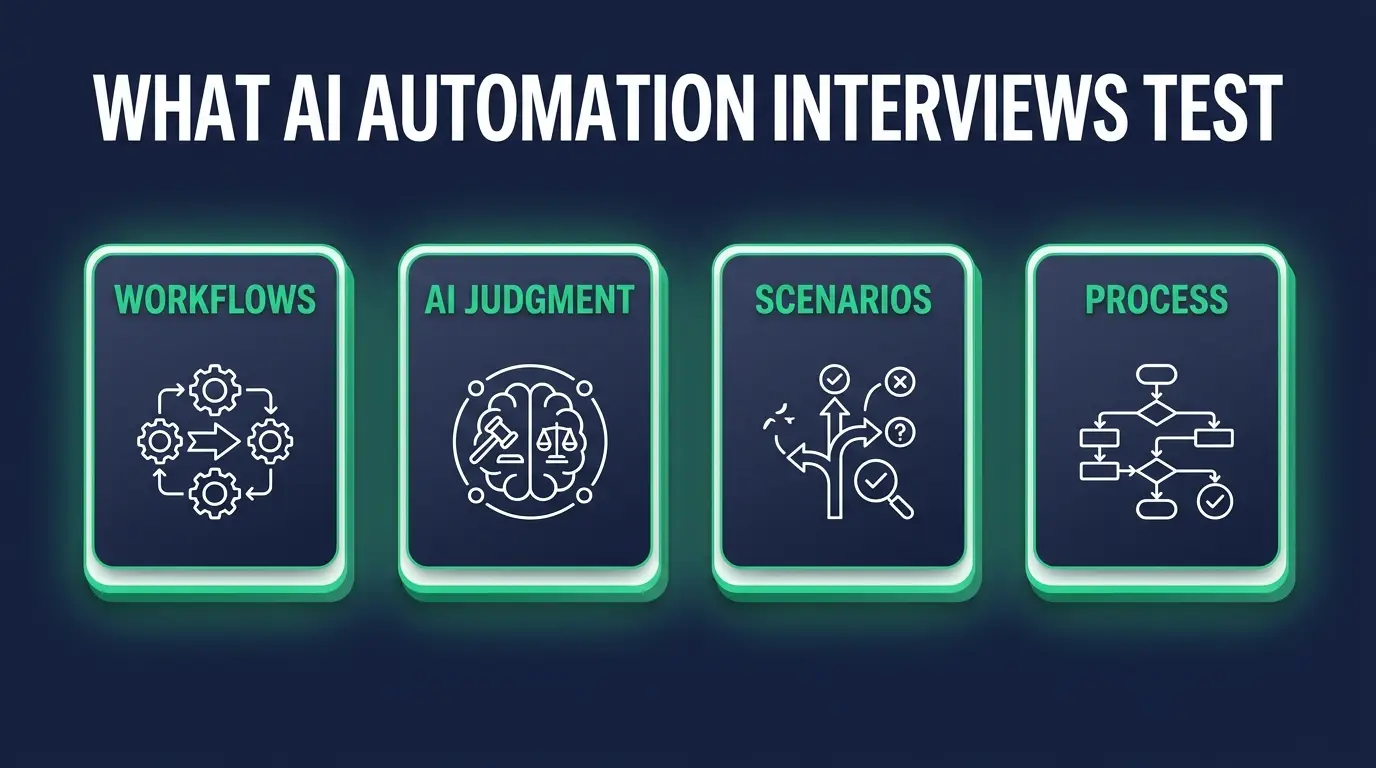
What AI automation interviews actually test
You'll be interviewed more like a consultant than a coder. That reframe alone changes how you answer everything below.
They want to know whether you think in business processes. "Lead comes in, gets scored, gets routed" is the sentence they want to hear, not "webhook, filter, action." They want tool fluency that came from building things and breaking them. And they are quietly waiting to hear you say "I would not automate that," because a candidate who says yes to every idea is a liability with API keys.
Answer every question from this seat: you are being trusted with a company's processes, and the automations are just how that trust shows up in software.
Automation fundamentals questions
Expect versions of:
- Explain trigger vs. action vs. filter.
- Polling vs. webhooks, and when it matters.
- What happens if your workflow runs twice on the same record?
- How do you handle errors and retries?
- How do you handle API rate limits?
- When do you use Zapier vs. Make vs. custom code?
- How do you map data between apps that disagree on formats?
- How do you document an automation so someone else can maintain it?
The big ones:
Trigger vs. action vs. filter. A trigger starts the workflow (new form submission). Actions are what it does (create a contact). Filters decide whether it keeps going (only if the deal is over $5,000). Sloppy answers here predict sloppy workflows. Add that filters are also your first defense against garbage data setting off expensive downstream steps, and you jump a tier.
Polling vs. webhooks. Polling asks the app "anything new?" every few minutes. Webhooks push the event the moment it happens, which is faster and usually cheaper, since polling burns task runs checking for nothing. In revenue workflows the difference is money: a lead answered in two minutes converts far better than one sitting in a 15-minute poll cycle.
Idempotency, or "what happens when it runs twice?" This is my favorite filter question, and I ask it because of a Tuesday I'd like back. A client's Stripe webhook fired, timed out on our side, and Stripe did what Stripe is supposed to do: it retried. So did the workflow. Eleven customers got two "welcome, here's your invoice" emails and two rows in the billing sheet, and the second row is what turned a quiet morning into a phone call. Nothing was broken, exactly. The workflow just had no memory. A good workflow produces the same result no matter how many times one event hits it, which in practice means searching before you create, and deduplicating on an external ID that the source system owns rather than one you generate. Anybody who hasn't thought about this has never run an automation a business depended on. You can hear it in the answer within about ten seconds.
Error handling and retries. Every workflow that matters gets an error path. Retries with backoff for transient failures. No retries for permanent ones like bad credentials, because retrying a wrong password 40 times just locks the account. And an alert to a channel a human actually reads. They ask because the default in every no-code tool is silent failure, and silent failure is how a company loses three days of leads.
Zapier vs. Make vs. custom code. Zapier when the client's team maintains it and the logic runs in a straight line. Make when you need branching, arrays, or better economics at volume. Custom code when the logic can't be expressed cleanly any other way, and be honest about the trade: code is the cheapest thing to run and the most expensive thing to maintain, especially after you leave. Interviewers ask this one almost verbatim. The deep version lives in Zapier vs. Make.
Data mapping and documentation get less airtime, but they're where a maintainer's opinion of you gets formed. On mapping, say what you actually do: normalize at the edges, pick one canonical format for dates and phone numbers, and never trust a free-text field to arrive clean. On documentation, one sentence wins it. "I document the business purpose, the trigger, the systems touched, the failure alerts, and the owner, because an undocumented automation is a time bomb with my name on it."
AI-specific questions
Candidates either shine or faceplant here:
- Where does an LLM belong in a workflow, and where doesn't it?
- How do you design prompts for reliability?
- How do you handle hallucinations in production?
- How do you control costs on AI steps?
- What human-in-the-loop patterns do you use?
- How do you decide if an AI step beats a rules-based one?
- How do you keep customer data safe in an AI step?
The ones to nail:
Where the LLM belongs. Classification (is this a complaint, a lead, or spam?), extraction (pull the invoice number out of messy text), drafting (a first-pass reply a human will edit). That's the neighborhood. It does not belong doing math, making compliance calls, or sending anything customer-facing without review. The market is full of people who think AI belongs everywhere, and those people cause incidents.
Prompt design for reliability. Production prompts are boring on purpose. Demand structured output against an exact JSON schema. Give it a couple of examples. Tell the model to return "UNKNOWN" when it isn't sure, which sounds small and prevents most confident nonsense. Then validate before the next step consumes anything. If the JSON doesn't parse, that's an error path, not a shrug.
Hallucinations in production. My rule is one line: raw model output never touches a system of record or a customer without a checkpoint. Validate the structure, check extracted values against the source, send low-confidence results to a human queue. You can't make hallucinations impossible. You can make them harmless.
Cost control is mostly unglamorous plumbing. Use the small model until it fails, cache what repeats, and don't send the whole email thread when the last message would do.
AI step vs. rules. If the input is predictable, rules win. Cheaper, deterministic, debuggable at 2am. AI earns its cost on messy, unstructured input and nowhere else. My test: run both on 100 real records, compare accuracy and cost, show them the table. Interviewers love this answer because it means you won't sell them AI they don't need.

Scenario questions
Fundamentals prove you know things. Scenarios prove you can be trusted with a login. Common ones:
- "A client's lead-routing automation silently stopped for three days. Walk me through your response."
- "Sales wants every inbound email auto-answered by AI. What do you push back on?"
- "How would you automate invoice data entry from PDFs?"
- "A workflow is costing 4x what it should. Why?"
- "Two departments want automations that conflict. What do you do?"
- "How would you hand off ten workflows to someone new?"
The big three:
The silent three-day failure. Stop the bleeding first: restore routing by hand if you have to, so no new lead waits while you investigate. Then recover the missed ones by replaying from the source system, with deduplication, so nobody gets contacted twice by an apology. Tell the client what was missed, in plain numbers, before they ask. Then fix the actual failure, which was the silence. A heartbeat alert that fires when a workflow processes zero records in a window that normally sees fifty would have caught this on day one. They're listening for whether you reach for a runbook or for someone to blame.
Auto-answering every inbound email. I push back on scope. Auto-drafting for human approval, day one, happily. Auto-sending only for narrow, low-risk categories like "where's my tracking number," and only after watching the drafts for a few weeks. Refunds, legal language, angry customers, pricing: those get a human, always. One hallucinated discount costs more than the whole automation saves in a year. This question exists to find the adult in the room.
Invoice PDFs. Parse or OCR the document, then have an LLM extract vendor, date, line items, and totals into a strict schema. Then say the part they're actually waiting for: validate that the line items sum to the stated total, flag duplicate invoice numbers, and route anything low-confidence to human review instead of straight into accounting. Money data never goes in unverified. Bad scans and vendors who redesign their template in March will break you if you skip that step.
Questions you should ask them
These five tell you what you're walking into:
- "Which processes are already mapped, and which am I discovering from scratch?" No maps means your first three months are archaeology.
- "What's the tool budget, and who approves new tools?" No budget and a free Zapier plan is a trap.
- "Who owns the workflows after I build them?" No owner means everything breaks the week you take vacation.
- "When an automation fails today, who finds out, and how fast?" Tells you how mature or on fire the operation is.
- "What would make me a clear win in the first 90 days?" Makes them define success out loud.

How to prepare in the week before
Skip the certification cramming. What moves interviewers is a portfolio of two or three real workflows with before-and-after numbers attached. "Invoice intake went from 6 hours a week to 40 minutes of review" beats any badge on any résumé, because it's a sentence their CFO understands. If you don't have those yet, these AI automation portfolio examples show what to build in a weekend.
Then practice whiteboarding one process end to end, out loud, to a wall if you have to: trigger, filters, transforms, AI steps, error paths, alerts, owner. Rehearsing it once beats reading about it ten times.
The CodingPhase résumé builder is built to pass ATS screening, and the member job board surfaces automation roles worth applying to. Check the AI automation salary guide before you name a number, because most candidates lowball themselves by about fifteen grand out of politeness.
One thing you can't prep for: some interviewer will drop a scenario from their exact industry, medical billing or freight or something, and you'll have no idea how that world works. That's fine. They're testing whether your process survives unfamiliar ground. Ask clarifying questions, map it like any other process, name the first two risks you'd go check. "Here's what I'd need to learn" is a strong answer.
FAQ
Do AI automation interviews include coding tests? Sometimes a light one, like reading an API response or writing a small transform. Portfolio walkthroughs and scenarios carry far more weight.
What tools should I know before interviewing? Zapier and Make are the baseline, plus comfort with one LLM API and one CRM. Depth in a few tools beats shallow familiarity with fifteen.
Are certifications worth it for AI automation jobs? They won't hurt, but nobody hires off them. Two documented workflows with real time-savings numbers beat a page of certificates.
Can I get these jobs remotely? Yes, it's probably one of the most remote-friendly roles in tech right now. I keep a current list in remote AI automation jobs.
The salary on that listing isn't too good to be true. It's what companies pay someone they can trust with the machinery that runs the business, and every piece of that is learnable. For the full roadmap, the AI automations career path walks you from first workflow to first offer. Go build the two workflows. Then apply to that listing. I'm rooting for you.