What Is AI Automation? A Plain-English Guide (With Real Examples)
On this page
Last month I watched a friend spend her Sunday copying customer emails into a spreadsheet, one at a time, so she could tag each one as a refund, a question, or a complaint. Two hundred emails. Three hours. She looked up halfway through and said, "There has to be a better way to do this."
There is. A machine can read those emails, decide what each one is about, and drop it in the right column while she gets her Sunday back. That's the whole idea behind AI automation, and once you see it you can't unsee it. Your week is full of these tasks.
So here's what this thing actually is, without the hype, plus where it's useful and where it falls on its face.
What is AI automation?
AI automation is when software uses artificial intelligence to handle tasks that used to need a human's judgment, like reading messy text, sorting things by meaning, or writing a first draft, and then acts on that decision automatically.
Read that again, because one word is doing the heavy lifting: judgment.
Regular automation follows rules you wrote in advance. "When a form is submitted, add the person to this list." That's it. It can't handle anything you didn't spell out. AI automation is different because the AI part can look at something it has never seen before, a support email, a résumé, a photo, and make a reasonable call about what it is and what to do next.
Old automation moves data around. AI automation understands the data first, then moves it.
How an AI automation actually works
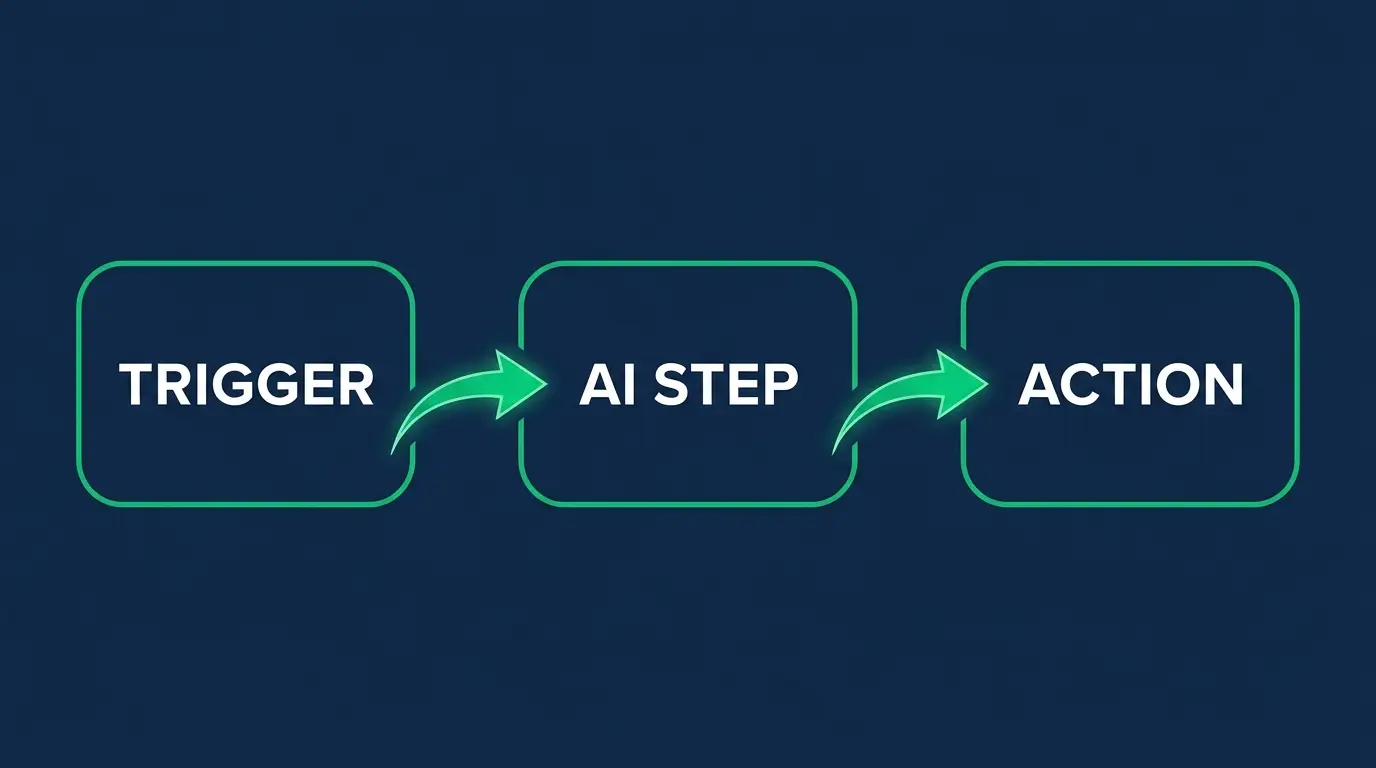
Every AI automation, no matter how fancy the demo looks, is really three steps in a row. Once you know them you'll spot them everywhere.
A trigger. Something kicks it off. A new email lands. A form gets filled out. A file shows up in a folder. A customer sends a chat message. This is the "when this happens" part.
An AI step. The interesting bit. The AI reads whatever came in and does something a rulebook couldn't: it figures out the sentiment of a review, pulls the total off a photographed receipt, summarizes a long thread, drafts a reply, or decides which category something belongs in. This is the "think about it" part.
An action. The automation does something with that decision. Sends the email. Updates the spreadsheet. Posts to Slack. Creates the ticket. Files the invoice. This is the "now do it" part.
Trigger, decide, act. My friend's Sunday, rebuilt: a new email arrives (trigger), the AI reads it and tags it refund or question or complaint (AI step), and the row gets written to the right sheet (action). Nobody sits there for three hours.
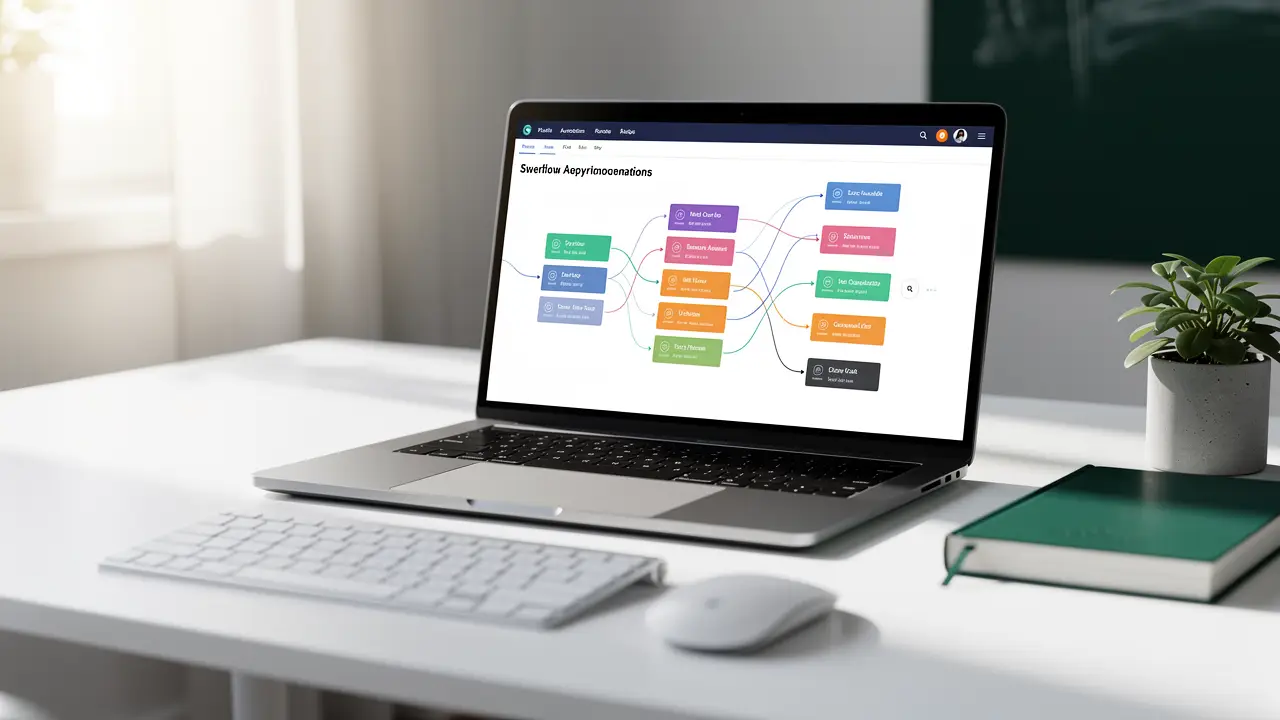
The reason this matters is that most tools you'll hear about, n8n, Zapier, Make, are just nicer ways of wiring up those three boxes. If you understand the loop, the tool is the easy part. I broke down one of the most popular ones in my guide to what n8n is, and it's the same three steps under the hood.
AI automation vs plain automation vs RPA vs AI agents
These four terms get thrown around like they mean the same thing. They don't, and mixing them up is why people buy the wrong tool. Here's the honest version.
Plain automation runs fixed rules. No intelligence. "Every Monday at 9am, email me last week's sales." It does exactly what you told it, forever, and breaks the second reality doesn't match your rule. Cheap, reliable, dumb.
RPA (robotic process automation) is plain automation's older cousin. It mimics a human clicking through software: open this app, copy that field, paste it over there, hit submit. Great for old systems with no proper connection point, like a 1990s accounting program. RPA is fast and literal, and it shatters the moment a button moves two pixels. Still no real understanding, just a very patient robot pretending to be your mouse.
AI automation adds the judgment step we just talked about. It's a defined workflow, you still design the trigger and the action, but one step in the middle can now handle fuzzy, human stuff like language and images.
AI agents go one level further. Instead of you designing every step, you hand the AI a goal and let it figure out the steps itself, choosing which tools to use and in what order. "Research this company and write me a summary" where the agent decides to search, read three pages, and compile the notes on its own. More flexible, and also less predictable, which is exactly the tradeoff. I wrote a whole piece on how AI agents differ from agentic AI if you want to go deeper, because that line is blurrier than the marketing suggests.
If you keep one mental model, keep this. Plain automation and RPA follow a script with zero brains. AI automation follows a script with one smart step in it. AI agents write their own script as they go. Most real business work today lives in that middle lane, and honestly that's where I'd tell a beginner to start.
Real examples across a few domains
Definitions are fine, but this clicks when you see it doing actual work. Here are ones I've either built or watched people build.
Customer support. Incoming tickets get read, sorted by urgency and topic, and routed to the right person, with a suggested reply already drafted. The human edits and sends instead of writing from scratch. Response times drop, and nobody's manually triaging a queue at 8am.
Sales and lead handling. A lead fills out a form. The automation researches their company, scores how good a fit they are, writes a personalized first email, and logs everything in the CRM before a salesperson has even had coffee.
Content and marketing. A blogger records a podcast. One automation transcribes it, pulls out five quotable moments, drafts social posts for each, and queues them up for review. Hours of repackaging turned into a review-and-approve.
Finance and admin. Receipts get photographed and emailed to one address. The AI reads each one, extracts the vendor, date, and amount, and files it in the right expense category in a sheet. No more shoebox in April.
E-commerce. Product reviews get read as they come in, sorted into praise and complaints, and the angry ones get flagged to a human immediately instead of sitting unseen for a week.
Notice the pattern. None of these replace a person. They delete the boring 80% so the person spends their time on the 20% that needs an actual human. That's the sweet spot, and it's a big reason AI automation has turned into a real career path rather than a fad.
What AI automation is good at, and what it's bad at
I'm not going to sell you a miracle. This tech is genuinely useful and genuinely limited at the same time, and knowing the edges is what separates people who build things that work from people who build demos that embarrass them in production.
What it's great at: reading and sorting large piles of text, drafting first versions of things, pulling structured data out of messy inputs like emails and receipts, translating, summarizing, and any task where "roughly right, checked by a human" is good enough. High volume, low stakes, tolerant of the occasional miss. That's the zone.
Where it burns you: anything that needs to be exactly right every single time. AI makes things up sometimes, confidently. It'll invent a total on an invoice or mis-tag a legal document, and it won't tell you it wasn't sure. So the higher the stakes, the more a human has to stay in the loop. I would not let an unsupervised AI automation send money, delete records, or make a final medical or legal call. Draft it, sure. Send it without a human glancing at it, no.
The other honest limit is consistency. Give the same automation the same weird edge case twice and you might get two different answers. Plain automation is boring and predictable, which is a feature when predictable is what you need.
Here's the reframe I want you to keep: AI automation should delete boring work, not replace careful judgment. The moment you use it to skip the thinking instead of skip the busywork, it turns on you. Point it at the busywork. Keep the thinking.
How to actually start learning this
Good news. You do not need a computer science degree or heavy math to get going. This is one of the most beginner-friendly corners of tech right now, because the tools have gotten genuinely approachable.
Start by picking one annoying task in your own life or job. The spreadsheet thing. A report you rebuild every week. Emails you sort by hand. Something small and real. A vague "I want to learn automation" goes nowhere. "I want to auto-sort my inbox" gives you a finish line.
Then learn one tool well instead of dabbling in five. I'd point most beginners at a visual builder where you drag and connect those trigger-decide-act boxes instead of writing everything from code. It's the fastest way to feel the loop click. When you're ready to compare your options, I put together a rundown of the best AI automation tools worth your time so you're not guessing.
From there it's reps. Build the small thing, break it, fix it, build a slightly bigger thing. That's how everyone I know got good at this, including me. If you want a structured path instead of piecing together random YouTube videos, we cover automation and the coding fundamentals underneath it inside CodingPhase's courses, and there's a full breakdown of the best AI automation courses if you'd rather shop around first. Either way, the move is the same: build something real this week.
FAQ
What is AI automation in simple terms?
It's software that uses AI to do tasks that used to need a person's judgment, like reading and sorting messages or drafting replies, and then acts on that decision on its own. Think of it as regular automation with one smart step added in the middle that can handle messy, human stuff.
Is AI automation the same as AI agents?
No, though they're related. An AI automation follows a workflow you designed, with the AI handling one or two decision steps inside it. An AI agent is handed a goal and figures out the steps itself, picking its own tools and order. Agents are more flexible and less predictable. Most everyday business work is regular AI automation, not full agents.
Do you need to code to build AI automation?
Not to start. Visual tools like n8n, Zapier, and Make let you build real automations by connecting blocks instead of writing code. That said, a little coding knowledge, some JavaScript or Python and an understanding of how APIs work, lifts your ceiling a lot once the simple stuff stops being enough. Start no-code, add code as you grow.
Is AI automation worth learning in 2026?
Yes, and I don't say that about every trend. The demand is real, businesses everywhere are trying to cut repetitive work, and the skill sits at a nice intersection of useful and learnable. It's become a legitimate job, not just a productivity hack for your own inbox.
Go find your version of my friend's Sunday spreadsheet. Everybody has one, that recurring task you do by hand that a machine should clearly be doing instead. Automating that first small thing is the moment this stops being a buzzword and starts being a skill you own.
When you're ready to build it for real, start learning with us at CodingPhase. We'll take you from "what is this" to actually shipping automations that save you hours, and you can go at your own pace. Your Sundays will thank you.