Cursor vs Claude Code: Which AI Coding Tool Should You Actually Use?
On this page
The post you're reading started as one sentence I typed into a terminal.
I asked Claude Code for five blog posts about Claude Code, researched and drafted in parallel. It split the job across five subagents. Each one pulled keyword data from Ahrefs, checked product facts against the official docs, and followed the writing rules I keep in a file at the root of my repo. Then I read every draft, because that part is still my job.
I'm telling you this up front so you know my bias. I'm a terminal person now. I build codingphase.com, a Laravel and React app, almost entirely through Claude Code, and I've been teaching developers since 2016, which means I've watched a lot of shiny tools show up and quietly disappear.
But "Cursor vs Claude Code?" is the question I get more than almost any other right now, and my answer isn't "Claude Code, obviously." For a lot of you, Cursor is the better pick. For some of you it's both.
The short answer
If you want to stay in a normal code editor, see every change land in the file in front of you, and have autocomplete finish your lines, get Cursor. If you're comfortable in a terminal and you'd rather hand off a whole multi-step job and review the result, get Claude Code, and plan on spending some time teaching it how your project works.
And if your days are a mix of both kinds of work, you can run them together. The Claude Code extension installs straight into Cursor.
Two different ideas of what an AI coding tool is
Most comparisons treat these as two flavors of one product. I don't think they are.
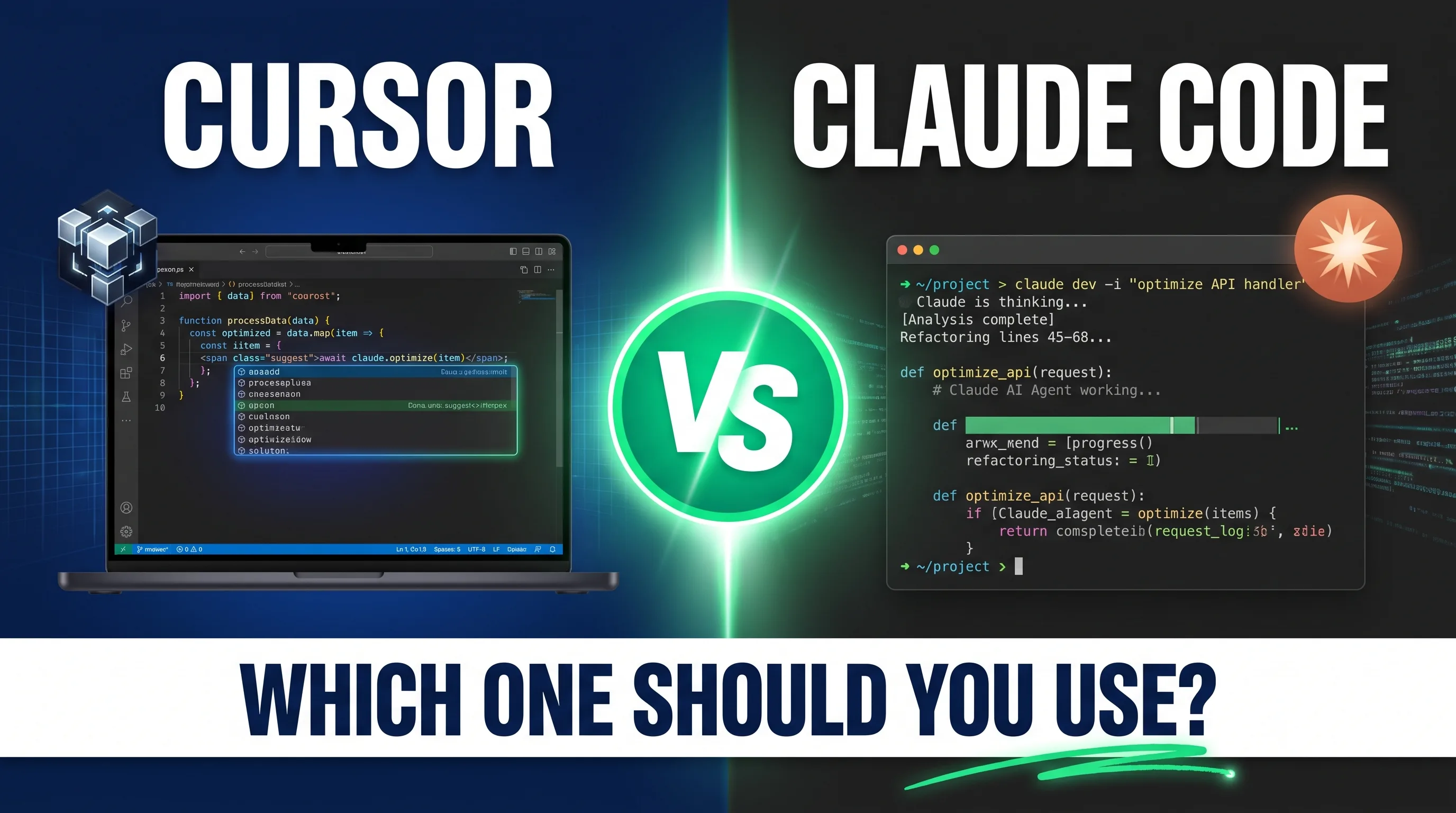
Cursor is an editor. It's a fork of VS Code, so your extensions and keybindings mostly come with you, and the AI is built into the place you already write code. You get Tab completions as you type, an Agent panel that edits across files and runs terminal commands, checkpoints you can roll back to, and diffs you accept or reject right in the file. You're driving. The AI is a very capable passenger who takes the wheel when you ask.
Claude Code started as an agent in your terminal. You cd into a project, type claude, and describe what you want. It reads your codebase, makes a plan, edits files, runs your tests, reads the errors, and tries again. There's no autocomplete at all, because the whole design assumes you're handing it a task rather than typing alongside it.
The line between them has blurred a lot. Claude Code now also runs as a VS Code extension (which works in Cursor too), a JetBrains plugin, a desktop app, and on the web at claude.ai/code. Cursor shipped its own CLI, with a headless mode and cloud agents you can send work to. Both companies are obviously walking toward the same place.
What you'll feel every day is the default posture, and that's still different. Cursor expects you to be in the code, and Claude Code expects you to be supervising it.

How it feels to work with each one
Take a typical task on my site. A report in our admin dashboard needs a new filter, which means a backend query change, a React component update, and a test or two.
In Cursor, I'd open the controller, highlight the query, and ask the agent to add the filter. I'd watch it edit, glance at the diff, accept, then hop over to the React page and do the same thing again, with Tab finishing half my lines while I tweak by hand. It's tight and visual, and I never lose track of what changed because I watched it change.
In Claude Code, I write two sentences describing the filter and how it should behave. It goes and finds the controller, the service class, the React page, and the test file on its own. It runs the tests, and if one fails it reads the error and fixes it before telling me it's done. My job is the review at the end.
I wouldn't call either one better. The first keeps you close to the code. The second frees you up, but it asks you to trust first and verify after, and if you're still building your instincts for what good code looks like, that's a real risk. More on that below.
Autonomy: how far each one will go on its own
For most people this is the axis that decides it.
Cursor's agent can absolutely do multi-file work, run commands, and chew on long tasks. There's even a /goal command for a long-lived objective. The experience still nudges you toward short loops, though, because the diffs are sitting in your editor waiting to be reviewed.
Claude Code pushes the other way. It's built for long runs, and it gives you more ways to stretch them:
- Subagents. Claude Code can spin up separate agents, each with its own context, to work on pieces of a task in parallel. That's how this post cluster got drafted, and I go through the setup in my guide to Claude Code subagents.
- Hooks. Shell commands that fire before or after the agent acts, like running a formatter after every edit.
- Headless mode.
claude -p "..."runs a prompt non-interactively, so you can pipe logs into it or drop it into CI. - Scheduled work. Routines and the
/loopcommand let it handle recurring jobs, and routines keep running in the cloud when your laptop is closed.
To be fair, Cursor has its own version of most of that now (cloud agents, hooks, a CLI with a -p flag). The difference is which tool treats autonomy as the normal way to work, and in Claude Code it clearly is.
One habit I'd steal if you go the autonomous route: run each task in its own git worktree. The agent works on an isolated copy of the repo, so if a run goes sideways your main checkout never finds out. I do it for every task.
Context: how each tool learns your project
An agent only knows what you give it about your codebase. Both tools handle this with instruction files, and they're close enough that moving between them isn't painful.
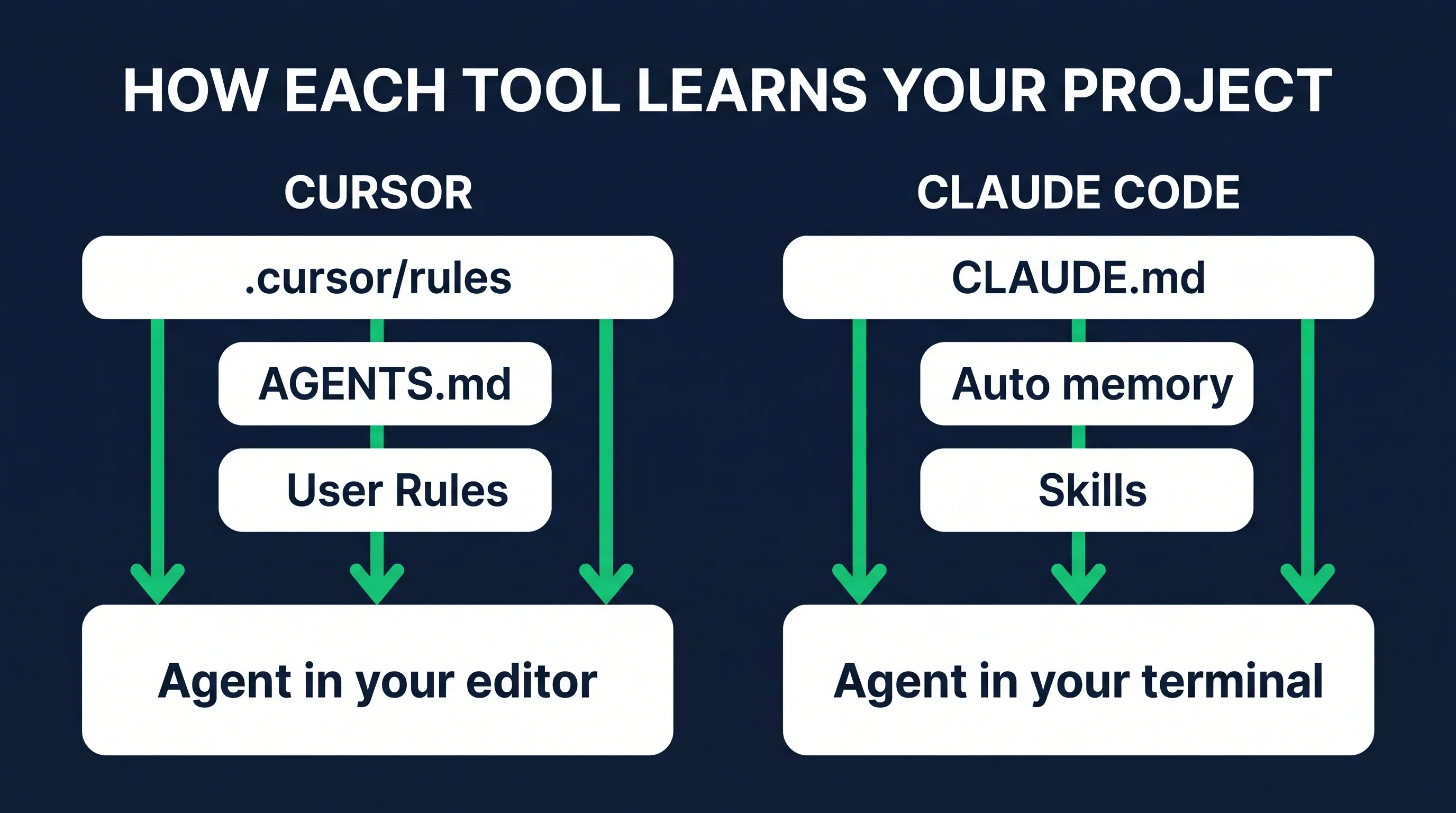
Cursor keeps project rules in .cursor/rules. A rule can always apply, attach itself when matching files are in play, get pulled in when the agent decides it's relevant, or sit there until you @-mention it. It also reads an AGENTS.md at the root. I like the targeting a lot. Your React conventions only load when you're touching React files.
Claude Code reads a CLAUDE.md at the start of every session (it can read AGENTS.md too). On top of that there's auto memory, where it saves what it learned for next time, and skills, which are packaged workflows it pulls in when a task needs one.
Mine looks like this. The repo's CLAUDE.md holds the non-negotiables, including the validation gate every interactive lesson has to pass before it ships, the blog-writing rules (one of them bans em-dashes, which you may notice is holding up), and the admin design system. Next to that is a memory directory of about 35 small files indexed by a MEMORY.md, covering things like how our local database starts and which pricing numbers are canonical. Skills cover the specialist jobs. One enforces front-end design taste and another strips AI-sounding patterns out of writing, and I have an SEO one as well.
The payoff is that I don't re-explain my project every morning. It stays loaded, and it gets better as the files grow. I wrote up the details in how Claude Code memory works.
Could you build most of that with Cursor rules? Yes, mostly. What I notice is that Claude Code's pieces were designed around an agent working for a long stretch without you, so memory and skills feel central to the product instead of bolted on.
Raw context size is close to a wash. Claude Code's docs list a 1M-token window on the current flagship models, and Cursor offers 1M-context options on several models too. What you put in the window matters far more than how big it is.
Models: one family vs a menu
Claude Code runs Claude models. On Pro, Max, Team, and Enterprise the default is Opus 5.5, and /model lets you switch to Sonnet 5 for everyday coding, Haiku for quick simple jobs, or Fable 5.1 for the hardest long-running work (what you can reach depends on your plan and usage). There's also an opusplan setting that plans with Opus and then executes with Sonnet.
Cursor gives you a long menu. The same Claude models are in it (Fable 5.1, Opus 5.5, Sonnet 5), next to OpenAI's GPT models, Google's Gemini, Grok, and Cursor's own Composer model, plus an Auto mode that routes between them.
If you like throwing different models at the same problem, or you prefer a non-Anthropic model, Cursor wins this one outright.
If you're going to use Claude either way, the menu matters less than you'd expect. Anthropic builds both the model and Claude Code, and the tool is tuned around how those models behave. That's the main reason I stay in it.
Pricing: what you'll really pay
Prices move constantly in this category, so treat this as a September 2026 snapshot and check the official pages before you buy.
Cursor: a free Hobby tier with limited Agent requests, then Pro at $20/month, Pro+ at $60/month, and Ultra at $200/month. Teams is $40 per user per month, and Teams Premium is $120 with 5x the agent limits. Your included usage drains faster or slower depending on the model you pick, and you can pay as you go past it.
Claude Code isn't sold on its own. It comes with a Claude subscription, and the Free plan doesn't include it. Pro is $20/month ($17/month billed annually). Max is $100/month for 5x Pro's usage or $200/month for 20x. Team seats run $25/month ($20 annually), with premium seats at $125 ($100 annually). You can also skip subscriptions entirely and pay per token through the API.
What catches people with Claude Code is the limits. Usage resets on a five-hour session window, and Max also has weekly limits. If you run long agent sessions all day on Pro, expect to hit the ceiling, and if that's your normal day, budget for Max. I walk through picking a tier in Claude Code pricing, explained.
At the $20 entry point they cost the same. For that money Cursor gives you autocomplete and model choice, while Claude Code comes bundled with the full Claude app. Above $20, it comes down to how hard you'll lean on the agent.
Team use
Cursor Teams bundles centralized billing, SSO, usage analytics, team-wide privacy mode, a shared marketplace for internal rules and skills, and Bugbot for agentic code review. Because it looks like VS Code, rolling it out to an editor-first team is about as easy as it gets.
Claude Code's team story is that your configuration is just files in the repo. Commit the CLAUDE.md, the skills, and the MCP config, and every developer picks up the same rules on every surface, terminal or web. It also hooks into GitHub Actions and GitLab CI/CD for automated review and issue triage, and you can mention Claude in Slack with a bug report and get a pull request back.
Integrations and MCP
Both support MCP (Model Context Protocol), the open standard for connecting an AI tool to outside data and services.
This is where Claude Code changed my job the most. My setup talks to Ahrefs for SEO data, Higgsfield for image generation (the images in this post came from it), Brevo for email, and an MCP server we built into the app itself that exposes the site's analytics. So in the same session where I'm editing code, I can ask which blog posts brought in signups and get an answer from real data.
If MCP is new to you, my walkthrough of an n8n MCP server is a gentle first step.
Cursor supports MCP servers too, so choosing it doesn't lock you out of any of this. I just lean on MCP harder in a terminal agent, since I'm usually asking it to go do something rather than write code.

The learning curve (and the part nobody warns you about)
Cursor is easier to start. If you've used VS Code you already know most of it. Install, sign in, start pressing Tab.
Claude Code asks more. You need to be comfortable in a terminal, and you need a decent CLAUDE.md. The bigger shift is in your head: you have to get good at describing work and reviewing work, which is a different muscle from writing code line by line.
The more autonomous the tool, the more it assumes you can read code well enough to catch its mistakes. Claude Code can happily write a few hundred lines across eight files. If you can't tell whether those lines are right, the time you saved comes back later as a bug in production, usually at a worse moment.
An AI agent multiplies your judgment, so it can only be as good as the judgment you bring to it.
That's why I usually point true beginners at Cursor first. Watching changes land one file at a time teaches you something. I made the same call in my roundup of the best AI coding agents.
Where each one wins
Cursor wins on:
- Inline autocomplete while you type, which Claude Code doesn't do at all
- Getting started with zero terminal knowledge
- Switching between model providers
- Visual, file-by-file review of small and medium changes
Claude Code wins on:
- Long, multi-step tasks you hand off and review later
- Project memory that builds up over time through CLAUDE.md, auto memory, and skills
- Parallel work with subagents and background sessions
- Scripting and automation: CI jobs, piped logs, scheduled runs
- Following you across terminal, IDE, desktop, browser, and phone
My verdict
Pick Cursor if you're newer to coding, you think in files and lines, you want autocomplete, or you want to switch AI providers freely. It's probably the most polished AI-first editor out there, and at $20 it's an easy yes.
Pick Claude Code if you live in a terminal, you already read code with confidence, and your bottleneck is the pile of work in front of you, not how fast you type. Put real effort into your CLAUDE.md and it gets noticeably better the longer you use it.
Use both if your days are mixed. Install the Claude Code extension in Cursor, or just run claude in Cursor's built-in terminal. Do your hands-on editing with Cursor and Tab, and hand the big jobs to Claude Code in the same window.
For me it's Claude Code, and it isn't close. But I've been writing software for a long time, and my job now looks more like running a small engineering team than typing. If that isn't your job yet, don't pick my setup just because it works for me. Go back to the questions above and answer them for yourself.
FAQ
Is Claude Code an IDE like Cursor? No. Cursor is a full code editor built on VS Code. Claude Code is an agent that started in the terminal, and it now also runs as an extension inside VS Code, Cursor, and JetBrains IDEs, plus a desktop app and a web version. It works alongside your editor instead of replacing it.
Do I need Claude Code if I already use Cursor? Not necessarily. Cursor's agent already uses Claude models and handles multi-file tasks. Claude Code is worth adding if you want longer autonomous runs, subagents, deeper project memory, or terminal and CI automation. Try it on the $20 Pro plan for a month before you commit to more.
Is Cursor more expensive than Claude Code? They start at the same price: $20/month for Cursor Pro and $20/month for Claude Pro, which includes Claude Code. Heavy users of either one tend to move up, to Cursor Pro+ ($60) or Ultra ($200), or to Claude Max ($100 or $200). Which costs you more depends on how much agent work you run.
Can I use Claude models in Cursor? Yes. Cursor offers Anthropic's current models, including Opus 5.5, Sonnet 5, and Fable 5.1, alongside models from OpenAI, Google, and others. What you don't get is Claude Code's own harness around the model: its memory system, skills, and subagents.
Which is better for beginners? Cursor, for most people. The familiar editor and visible diffs make it easier to follow what the AI is doing. Move to Claude Code once you can read a diff and confidently spot what's wrong with it.
Can Claude Code and Cursor work together?
Yes. Install the Claude Code extension in Cursor or run claude in Cursor's terminal. Both tools read an AGENTS.md file, so you can keep shared instructions in one place.
These tools will keep changing. A year from now the prices and model names will be different, and each product will have borrowed the other's best ideas. What holds its value is knowing how to break a problem down and then review what comes back with a sharp eye.
If you want to build that with real projects, it's the whole idea behind our AI automation career path. And if you'd like to see what's happening under the hood, try building an AI agent yourself. Either way, pick one tool this week and give it a real task from your own work. That first run will teach you more than any comparison post, this one included.