Content Editor: The Job, the Pay, and How to Become One
On this page
Open two job postings titled "content editor" side by side and you might think somebody made a mistake.
One is at a publishing house. It wants someone to mark up manuscripts, check facts, and push writers to hit deadlines. The other is at a software company. It wants someone who can build pages in WordPress, write meta descriptions, swap out images, and publish updates for the marketing team.
Same title. Pretty different days.
This post is mostly about the second one, the website content editor, because that's the version with more doors open for career changers and the one we train people for. I'll still cover the editorial side so you know which is which before you apply.
What a content editor does on a website team
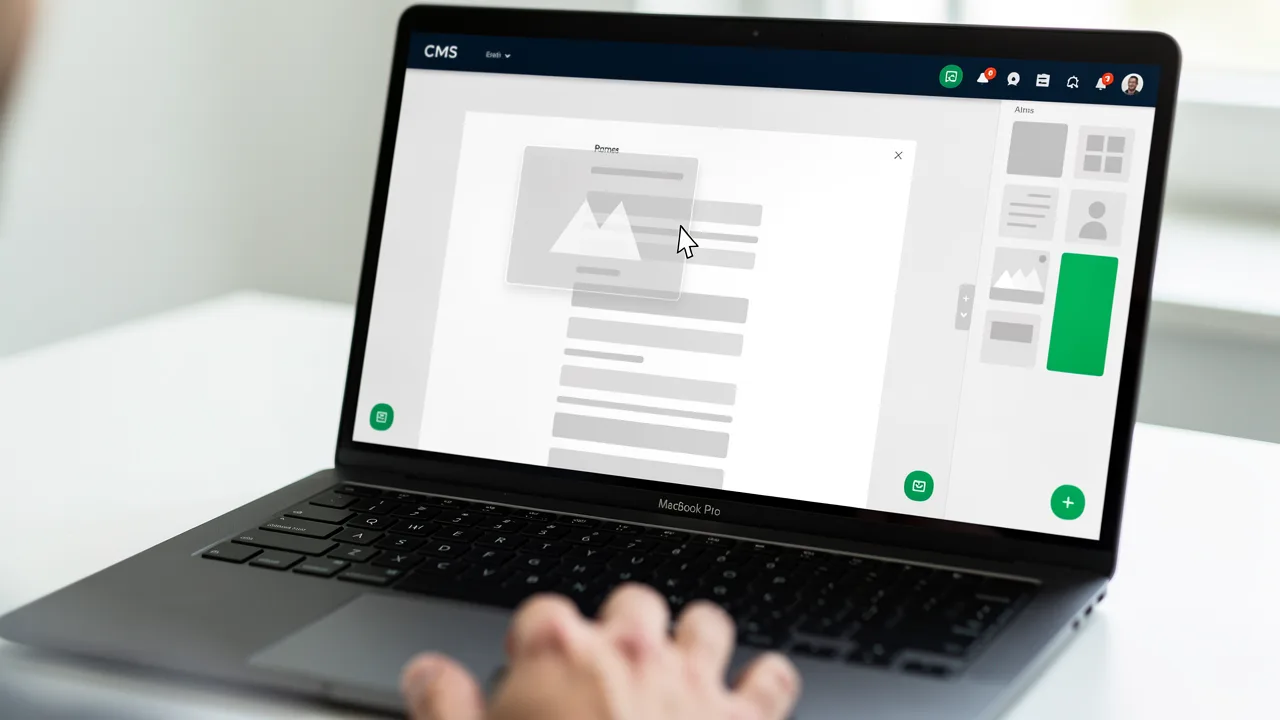
A content editor edits and publishes content so it's accurate and on-brand. On a website team that means working inside a CMS: building and updating pages, fixing copy, adding images and alt text, and getting each page ready for search.
Say someone from the product team sends over a Google Doc for a new feature page. It's 1,400 words, written like an internal memo, with three images pasted in at random sizes. You turn that into a page people will actually read: cut it down, break it into sections with clear headings, write a title tag and meta description, resize and compress the images, add alt text, link to the related pages, and publish it in the CMS.
Then you check it on your phone, because half the visitors will.
You're the last set of eyes before anything goes live, and you're the one who keeps it right afterward. Pricing changes, you update every page that mentions it. A link breaks, you fix it.
I know that can sound like small stuff. But for a lot of companies the website is where customers decide whether to buy, and a wrong or confusing page quietly costs them sales until somebody like you catches it.
Website content editor vs editorial content editor
A website content editor publishes and maintains pages in a CMS and cares about how they look, read and rank on the live site. An editorial editor shapes writing before it's published, working with writers on structure, facts and style.
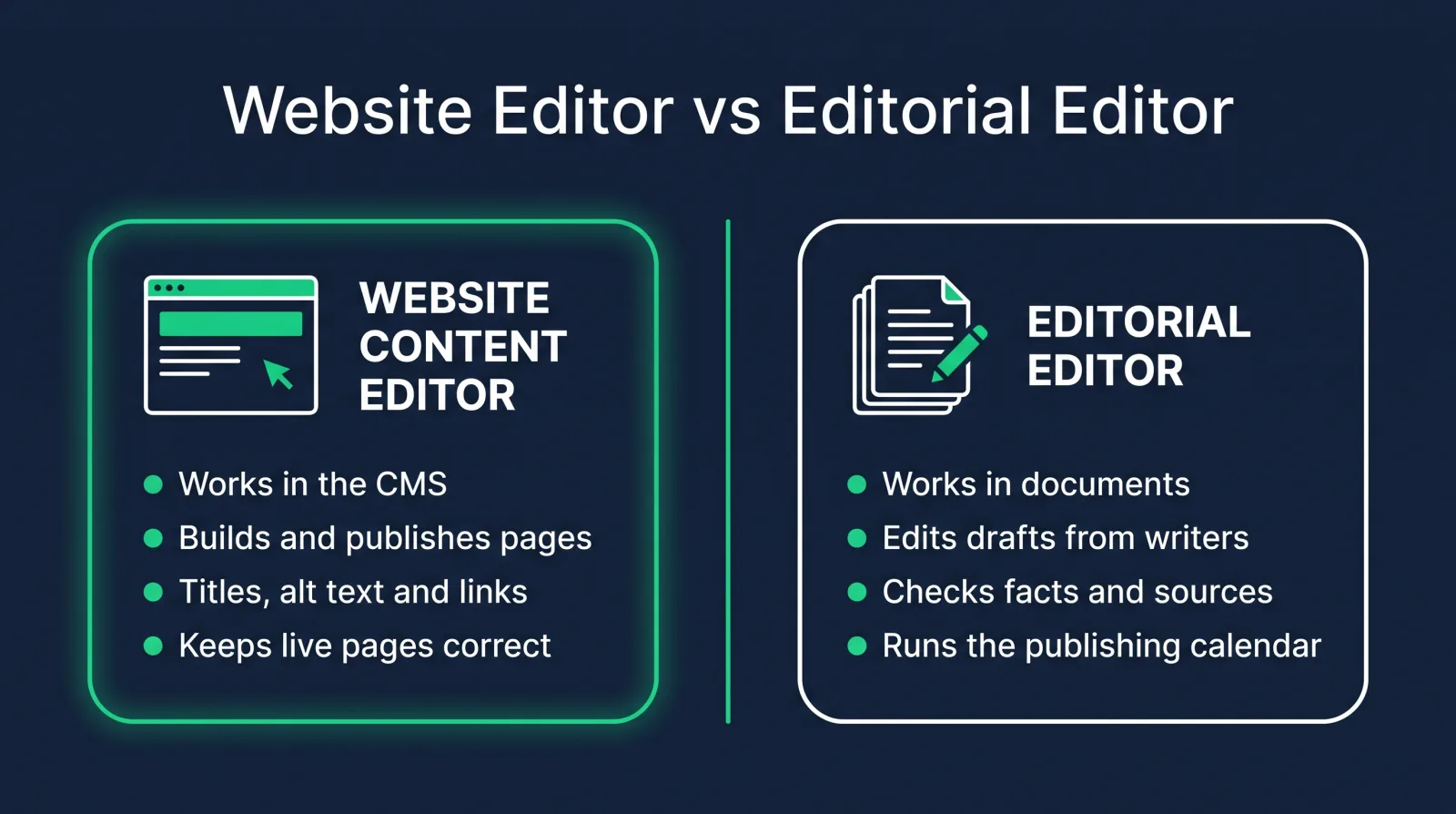
The two overlap more than people expect, since both live by a style guide and both care whether the writing is clear and correct. Where they split is the tools and what they hand off at the end.
An editorial editor works mostly in documents. They edit drafts from writers, request rewrites, check facts and sources, and manage a publishing calendar. You find them at publishers, magazines, news sites and content agencies. This is the job the US Bureau of Labor Statistics tracks as "editors," and it typically asks for a bachelor's degree.
On the website side you work mostly in the CMS. You take finished or half-finished content and turn it into working web pages, then look after those pages. These jobs sit at software companies, universities, hospitals, ecommerce brands and pretty much any organization with a big website.
Plenty of jobs mix the two. At a smaller company you might edit blog drafts in the morning and publish landing pages in the afternoon. Read the duties in the posting, not just the title.
A day in the job
Most days split between a queue of publishing requests and one or two bigger tasks you chose yourself. A realistic Tuesday goes something like this.
You open the request board first thing. There's a blog post from a guest author that needs a light edit and publishing, a request to update the team page with two new hires, and a ticket from sales saying the case study page shows the wrong logo.
You fix the logo in ten minutes. Easy win.
The blog post takes longer. The author wrote a great piece, but the headings are all bold text instead of real headings, there are no internal links, and two of the images are 4 MB each. You fix the structure, compress the images, add links to three related posts, write the meta description, and send a preview link to the marketing lead.
After lunch you spend an hour on something nobody asked for. You noticed last week that several older blog posts still mention a product feature that was retired, so you search the site, find them all, and update each one.
Then the team page, a look at the analytics dashboard, and a quick note to your manager about what shipped. Nothing dramatic, and that's kind of the appeal. You end the day with a list of things that are better than they were this morning.
Skills and tools on content editor job postings
Content editor job postings ask for strong editing, at least one CMS (WordPress shows up most), SEO basics, a little HTML and some comfort with analytics. Accessibility and a second CMS are the bonuses that make you stand out.
Editing and writing come first. You need to tighten someone else's copy without flattening their voice, and you need to write short, clear web copy yourself: headings, button text, meta descriptions, image captions.
Then the CMS. WordPress is the one you'll see most often. HubSpot CMS, Contentful, Drupal and Shopify show up too, depending on the industry. The good news is that once you know one CMS well, the next one comes faster, because they share the same ideas: pages, templates, blocks, a media library, users and roles.
SEO basics matter on almost every posting: title tags, meta descriptions, heading structure, internal links, alt text, redirects.
Basic HTML helps you fix what the visual editor gets wrong. You don't need to build anything from scratch. You need to open the code view and clean up pasted formatting without panicking.
After that, it's the practical stuff. Resizing and compressing images in Canva or Photoshop. Reading Google Analytics well enough to say which pages are working. Following a style guide. Accessibility basics like proper headings, descriptive link text and alt text.
What content editors earn
Payscale's 2026 data puts the average web content editor salary at $63,493 a year in the US. For the editorial side, the US Bureau of Labor Statistics reports a $77,920 median for editors (May 2025).
Those two numbers measure different jobs, so don't read them as a range.
The BLS "editors" figure covers the editorial side: book, magazine, news and other publishing editors. The BLS counted about 105,000 of those jobs in 2025 and projects a 1% decline from 2025 to 2035, so that side of the field is crowded and shrinking.
The website side is where the openings tend to be, because every company with a website needs someone to keep it right. Treat Payscale's $63,493 as a starting picture. Your pay goes up as you add skills that let you do more of the job yourself, like HTML and CSS, SEO and analytics, and as you move toward titles with more ownership. Payscale's 2026 average for a web content manager is $72,282.
Our Web Content Manager career path is built to get students into roles paying $75k+, individual results vary, and content editor is a common first step on it.
Content editor vs web content specialist vs web content manager
A content editor focuses on getting content right and published. A web content specialist handles more of the site's upkeep, like SEO and CMS maintenance. A web content manager owns the strategy.
In real life these blur. One company's editor is another company's web content specialist, and some job postings for a "content editor" read like a junior web content manager job.
A rough way to tell them apart:
The editor formats, publishes and keeps existing pages accurate. The specialist does that plus more upkeep: SEO fixes, redirects, page builds, the request queue. The manager decides what the site should be, owns the content calendar, reports results to leadership and often manages the other two.
If you want the full list of titles in this family, the web content manager job titles guide covers 26 of them. And if you want the CMS side of the comparison, we have a breakdown of CMS specialist vs manager vs developer too.
How to become a content editor without a degree
You can become a website content editor without a degree by learning one CMS well, practicing on real pages, and building a portfolio of edits and pages you published yourself.
The editorial side often wants a bachelor's degree. Website teams care a lot more about whether you can do the work, and plenty of their postings say "or equivalent experience."
Here's the route I'd take:
- Learn one CMS properly. WordPress first, on real hosting, with real pages and a contact form that works.
- Practice editing on real copy. Take something long and messy (an old blog post, a product description, a terms-of-service page) and rewrite it for the web.
- Learn the SEO basics and apply them to your own site.
- Learn enough HTML to fix things, mainly so pasted formatting stops scaring you.
- Edit and publish for a real organization. A local business or a friend's shop is fine. Real pages on a real site count as experience.
That's the same order our Web Content Manager career path follows. The Content Management Systems for Content Editors course inside it was built for this role. It covers what the job involves, then WordPress, Contentful, Shopify and HubSpot CMS, how to find a job, and finishes with lessons on your portfolio and résumé.
Building a content editor portfolio
A content editor portfolio should show your edits and pages you published in a CMS. Three or four strong pieces beat a long list of writing samples, because hiring managers want to see your judgment.
Start with a before-and-after edit. Put the messy original next to your version and write a few lines on what you changed and why, like cutting it in half or rewriting the intro for the reader instead of the company.
Then show pages you published, with screenshots of the live page and the CMS backend behind it (headings, alt text, meta description). That's the publishing half of the job, and plenty of applicants skip it.
Add a short audit of a real site, ranked by what you'd fix first. If you want a fourth piece, write a one-page style guide for a company's website. How to write headings, how to name buttons, how to format dates. Hiring managers like seeing that you think in rules, not one-off fixes.
Every CodingPhase career path comes with portfolio templates, so you can start from a layout instead of a blank page. When it's time to write the résumé, our web content manager résumé guide shows how to lead with the work rather than your old job title, and the ATS-ready résumé builder in your membership does the formatting.

Where the job leads
Most people move up toward web content manager, or sideways into SEO, content strategy or CMS development. Which way you go depends on the part of the job you end up loving.
I'd pay attention to what you do when nobody's asking. If you keep tidying the site structure, that's the manager track. If you keep checking rankings, look at SEO. If you keep opening the code view for fun, push toward templates.
FAQ
What does a website content editor do? A website content editor edits and publishes content in a CMS. They turn drafts into web pages, keep existing pages accurate, handle SEO basics like titles and meta descriptions, add images and alt text, and fix what breaks.
Is content editor a good entry-level job? Yes, for the website side especially. It's one of the most common first jobs in web content, and it leads into web content specialist, web content manager and SEO roles.
Do content editors need to know HTML? Not to get started, but it helps a lot. Basic HTML lets you fix formatting the visual editor gets wrong and makes you more useful than editors who only work in the visual view.
What CMS do content editors use? WordPress most often. HubSpot CMS, Contentful, Drupal and Shopify are common too, depending on the industry. Learn WordPress first, then whatever your target employers use.
Can a content editor work remotely? Often, yes. The work happens in a browser, so many website content editor roles are remote or hybrid. Editorial roles at publishers vary more by company.
If you're the person who notices the typo on the restaurant menu and the broken link on your bank's website, this job might be a great fit. That habit is the skill, and the rest can be learned.
You don't have to learn it alone. Diamond Membership gives you the full Web Content Manager career path, 90+ courses, portfolio templates, an ATS-ready résumé builder, a job board, and an 80,000+ member community, plus two live calls every week: Accountability on Wednesdays at 7 PM ET and Money Talk on Sundays at 8 PM ET.
It's listed at $60/month or $365/year, and there's always at least 30% off, so you'll pay about $42/month or $255/year, with a 7-day money-back guarantee. We've been helping people make this move since 2016, and I'd love for you to be next.