Make.com Pricing Explained: What You Actually Pay (2026)

On this page
A student messaged me last month, kind of panicked. His Make scenario had just stopped running on the 18th. Not broken. Not erroring. Just frozen, mid-month, with two weeks of work still to automate. "I thought I was on the free plan," he said. "Why did it die?"
He ran out of operations. He didn't know what an operation was, which is the whole problem with Make pricing. The plans look cheap and the word "operations" sounds like a technical detail you can skip. Then your automation goes dark on a Tuesday and you're refreshing the billing page trying to figure out what you did wrong.
So let me save you that Tuesday. By the end of this you'll know exactly what you're paying for on Make, why the number that matters isn't the dollar figure, and roughly where Make beats Zapier on price and where it doesn't. If Make is brand new to you, start with what Make.com actually is and come back.
The short answer
Make charges you by operations, not by how many automations you build or how many apps you connect. An operation is basically one step of your workflow running one time. Every plan, free or paid, gives you a monthly bucket of operations. Use them up before the month resets and your scenarios pause until the next cycle or until you buy more.
That's the entire model in two sentences. The free plan hands you a small monthly bucket. The paid tiers hand you bigger buckets plus faster scheduling and a few pro features. Whether Make is cheap or expensive for you comes down to how fast you burn through that bucket, and that depends almost entirely on how your scenarios are built.
Everything else is detail, and the detail is where the money hides.
What an "operation" actually is
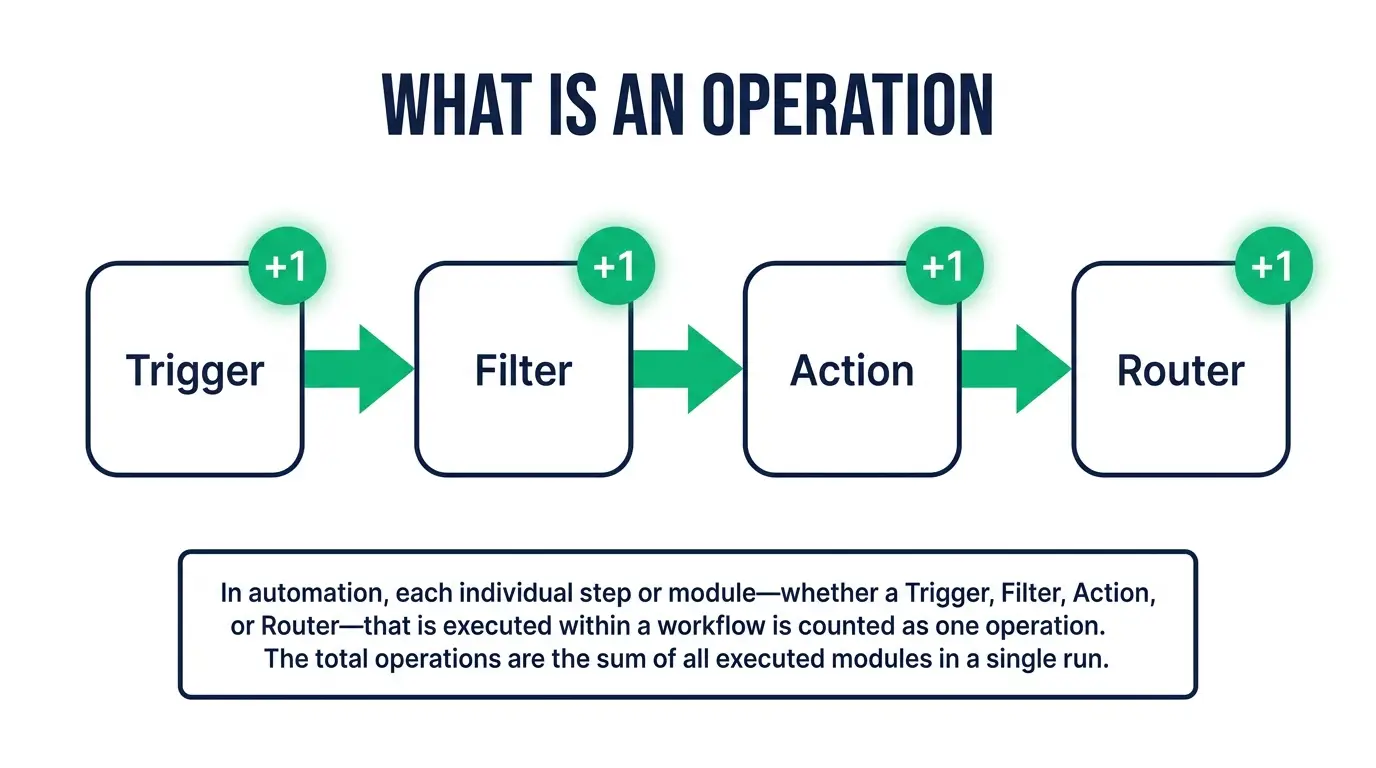
In Make you build a scenario, which is a workflow. A scenario is made of modules, which are the little boxes: "watch for a new row in Google Sheets," "send a Slack message," "create a row in Airtable." Each box is a module.
An operation is one module doing its job one time.
So a simple scenario with three modules, watch a form, format the data, send an email, that's three operations every time it runs start to finish. Run it 100 times this month and you've spent roughly 300 operations. Not 100. Three hundred. That multiplication is the thing that surprises people.
A few wrinkles worth knowing, because they're where the bill hides:
- The trigger usually costs an operation too. The module that watches for new data counts, even on runs where it checks and finds nothing new to do. If your trigger polls every few minutes all day, those checks add up quietly in the background.
- Loops multiply fast. If a module pulls back 50 records and the next module processes each one, that's 50 operations on that step alone, not one. A scenario that looks like four boxes can spend hundreds of operations per run once real data flows through it.
- Filters and routers add steps. Every extra box in the path is another potential operation. More logic, more ops.
Keep this in your head and Make pricing stops being mysterious: you pay every time a box lights up. A lean four-box scenario that runs a few times a day costs almost nothing. A busy scenario looping over big batches every fifteen minutes can eat a plan alive. Same price on paper. Wildly different bills.
The free plan
Make has a genuinely usable free tier, which is rare and worth saying out loud. You get a monthly allowance of operations (around a thousand at time of writing, but check make.com because these numbers move), you can build multiple scenarios, and you get access to most of the app connectors.
The main limits on free: the operations bucket is small, and your scenarios can only run on a slower schedule (the minimum gap between runs is longer than on paid plans). For learning, or a personal automation or two, the free plan is real and I'd start there. Don't pay Make a cent until you've watched your own ops counter move for a week.
Free breaks the moment you want something running every few minutes, or you build a scenario that loops over more than a handful of records. You'll hit the ceiling. That ceiling is the whole point. It lets you feel the model, then nudges you up.
The paid tiers, by structure
Make's paid plans climb in a predictable shape. I'm going to describe the structure rather than quote prices, because Make adjusts the exact dollar figures and operation counts, and I'd rather you check the live page than trust a number that went stale the week after I published this. At time of writing the ladder looks like this, cheapest to priciest:
- Core. The entry paid plan. A much bigger monthly operations allowance than free, plus faster scheduling so scenarios can run at short intervals. This is the "I have a couple of real automations doing real work" tier.
- Pro. More operations again, plus features aimed at people who live in Make: better error handling, priority execution, custom variables. If you're automating for a business and want things to recover gracefully when an app hiccups, this is the usual home.
- Teams. Everything in Pro with more operations and collaboration features, so several people can share and manage scenarios in one workspace with roles and permissions.
- Enterprise. Custom pricing, big operation volumes, advanced security and support. If you're asking whether you need it, you don't yet.
Two things stay constant as you climb. First, the main thing you're buying at each step up is a bigger operations bucket. The features are nice, but ops are the currency. Second, and this is the good part, Make lets you buy the plan level you want and then top up operations if you blow through the allowance, without forcing you to jump a whole tier. So you can sit on Core and add ops in a busy month rather than paying for Pro all year.
How ops usage actually adds up
Let me make this concrete, because "operations" stays abstract until you see it eat a plan.
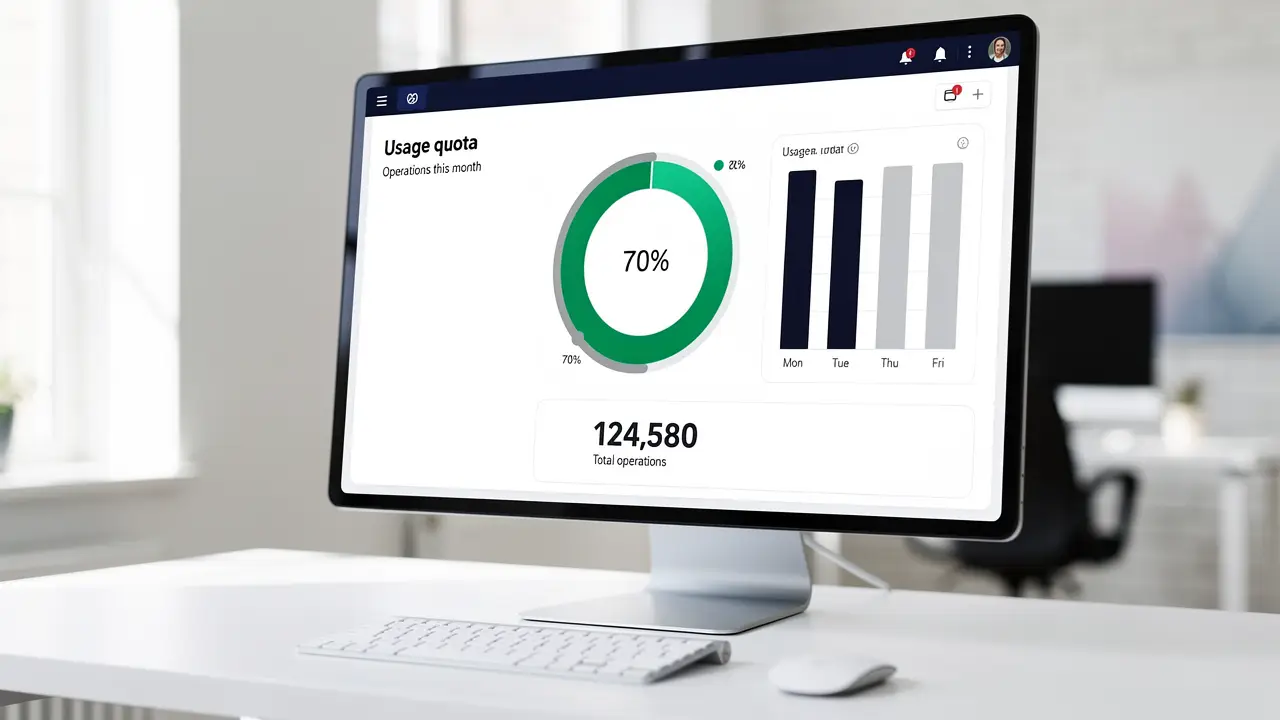
Say you build a scenario that watches a Google Sheet, and for every new row it enriches the data, checks a condition, and posts to two different places. That's five modules on a full run. One new row triggers roughly five operations.
Now imagine 200 rows land this month. That's about 1,000 operations from a single scenario, and you just matched the whole free allowance with one workflow. Add a second scenario polling an inbox every five minutes, and the polling alone (a check is an operation whether or not there's new mail) can run thousands of checks a month before a single useful action fires.
This is why two people on the identical plan can have completely different experiences. One built lean scenarios that run when something actually happens. The other set everything to poll constantly and loop over big batches, then wonders why the ops evaporate by mid-month, exactly like my student on the 18th.
So Make isn't expensive on its own. It rewards lean scenario design and punishes sloppy design, and the bill just reports back which one you did. Good design is the difference between a plan that lasts all month and one that dies on the 18th.
Make vs Zapier on price
This is the comparison people are really running in their heads, so let's do it straight.
Zapier charges by tasks. A task on Zapier is roughly an action that succeeds, and importantly, Zapier usually doesn't bill you for the trigger check or for a lot of the internal filtering. So on Zapier, that five-module scenario might count as fewer billable units than the five operations Make charges.
Sounds like Zapier wins? Not so fast. Make's operations are dramatically cheaper per unit. You get thousands of operations for a price that gets you a far smaller number of Zapier tasks. So even though Make counts more granularly (every module, including the trigger), the per-unit price is low enough that at real volume, Make usually comes out cheaper, often a lot cheaper.
The rough rule I give people:
- Low volume, simple zaps, want the easiest possible setup: Zapier's per-task model is simple to reason about and the app is friendlier for total beginners.
- Higher volume, multi-step scenarios, loops over data, cost matters: Make almost always wins on price, and its visual builder handles complex branching better.
I wrote a fuller head-to-head in Zapier vs Make if you want the feature-by-feature version. And if you're weighing the whole field, Zapier alternatives and my rundown of the best AI automation tools cover where each one fits. One more angle worth checking: n8n pricing, since a self-hosted tool can undercut both Make and Zapier once your volume is high enough.

How to keep your ops bill down
Design is the whole game, so here's what actually moves the number.
Trigger on events, not on a timer, wherever you can. An instant webhook trigger fires only when something happens. A polling trigger checks over and over, burning an operation each time. Swap polling for webhooks and watch a scenario's ops drop off a cliff.
Filter early. Put your condition as close to the trigger as you can, so you drop the runs you don't care about before they walk through ten more modules. A filter that kills a run at box two saves you every operation after box two.
Batch instead of looping one by one when a module supports it. Some connectors let you handle records in bulk rather than one operation per record. Fewer module runs, fewer operations.
Widen the schedule on anything that isn't urgent. Does that report sync really need to run every five minutes, or is every hour fine? Stretching the interval is free money.
Watch the ops counter for your first two weeks. Make shows you usage per scenario. Look at which one is the hog and fix that one. It's almost always a poller or a loop.
Do those five things and most people find the entry paid plan carries far more work than they expected.
FAQ
What is an operation in Make.com? An operation is one module (one step) in your scenario running one time. A three-step scenario uses about three operations each time it completes, and the trigger that watches for new data usually counts as an operation too. Your plan gives you a monthly bucket of these.
Is Make.com free? Yes, there's a real free plan with a monthly operations allowance (around a thousand at time of writing, so verify on make.com) and slower scheduling. It's genuinely enough to learn on and to run a small automation or two. You only need to pay when you want more operations or faster run intervals.
Is Make cheaper than Zapier? Usually, yes, especially at higher volume. Make counts more units than Zapier because it bills per module including the trigger, but each operation costs far less than a Zapier task, so the total lands lower once you're running real workloads. For very light, simple use, the gap narrows and Zapier's simpler model can be worth the premium.
Why did my Make scenarios stop mid-month? You ran out of operations before the cycle reset. Either your allowance is too small for how the scenarios are built, or (more likely) a polling trigger or a loop is quietly burning ops. Check the per-scenario usage, fix the hog, or top up operations for the month.
Automation stops feeling like a slot machine the moment you understand what you're paying for, and operations are that thing. Once you can look at a scenario and roughly count the boxes that'll light up, Make pricing turns into simple arithmetic instead of a mid-month surprise.
If you want to actually build this muscle, that's what we do at CodingPhase. Our automation and no-code tracks walk you from your first scenario to workflows that run a business, and you'll learn to design them lean so the bill stays small. Come start learning with us and build something that runs while you sleep, without waking up to a frozen scenario on the 18th.