Email Developer Interview Questions (and the Answers That Get You Hired)
On this page
Minute eighteen of the call, the hiring manager shares her screen. Same email, two windows: pristine in Gmail, and in Outlook the hero image has shoved the right column halfway off the canvas and the button is a blue underlined word. She asks one question, quietly. "Why is this happening?"
The candidate had a genuinely nice portfolio. He also had two weeks of JavaScript trivia loaded and ready for a job that runs zero JavaScript, so he froze, and I sat there on mute wincing for him. I was only on that call as a favor to a friend who runs the email team.
You don't have to be that guy. The questions are more predictable than you'd think.
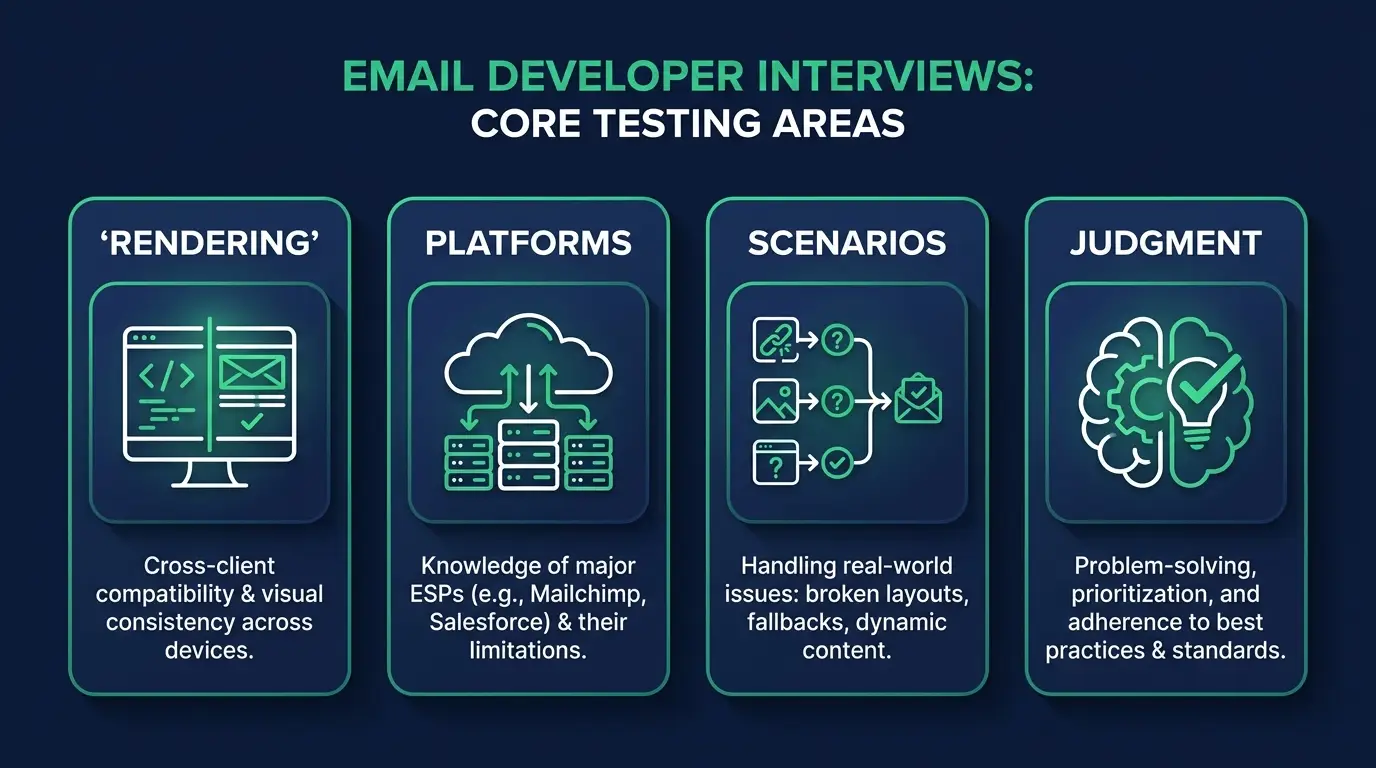
What email developer interviews actually test
Nobody is going to ask you to invert a binary tree. What they're probing is whether you know why email HTML is its own weird universe, whether you can move around inside Klaviyo or Braze without someone holding your hand, and what you do when marketing asks for something impossible. That last one is the whole junior-to-senior line. Code can be taught in a month. Judgment gets you the offer.
The one line I want you to carry into the room: they're hiring you to know why it breaks.
Still early? My guide on how to become an email developer covers the skills. This post assumes you have them and need to prove it.
HTML and CSS email questions
These come first in almost every interview. Expect some mix of:
- Why tables instead of divs?
- Why does CSS get inlined?
- What's different about how Outlook renders email?
- How do you handle dark mode?
- What's a bulletproof button?
- How do you design for image blocking?
- Why is 600px the standard width?
- Media queries or hybrid/fluid design, and why?
The ones that carry the most weight:
Why tables instead of divs? Because email clients don't run modern browser engines. Outlook on the desktop renders with Microsoft Word's engine, which has never supported floats, flexbox, or grid, so nested tables are the only layout that lands consistently everywhere. What they're listening for is whether you understand the constraint or just the convention. "Because Outlook uses Word's engine" sounds like someone who has debugged one. "That's how it's done" sounds like someone who downloaded a template.
Why inline CSS? Some clients strip or ignore <style> blocks, so the critical styles live right on the elements as style="" attributes, usually run through an inliner at build time. Gmail handles embedded styles better than it used to. You still inline, because you build for the worst client on the list.
What are Outlook's biggest quirks? The Word engine again. No background images on divs, so you fake them with VML inside conditional comments. Line-height and padding drift. max-width does nothing.
I lost most of a Thursday once to an email that was fine everywhere except Outlook 2016, where a 4px gap kept opening under the hero and pushing the CTA below the fold. It was an image with no display:block, which Outlook was treating as an inline element and reserving descender space for, like a lowercase g. One line of CSS. Four hours. That's the kind of story worth having in your pocket, honestly, because it's the kind of thing you can't fake.
Mention <!--[if mso]> by name, though. Hiring managers light up.
How do you handle dark mode? You can't fully control it, and saying so is the answer. Apple Mail respects prefers-color-scheme. Gmail and Outlook will forcibly invert your colors and mostly ignore your overrides. So you build defensively: transparent PNGs with a subtle stroke so the logo survives on a dark card, no pure black, no pure white, and you check both modes before every send. They want to hear "you mitigate, you don't control." Anyone claiming full dark mode control is telling you they haven't shipped much.
What's a bulletproof button? A CTA built from HTML and CSS (a padded table cell, or VML in Outlook) instead of an image, so it stays clickable when images are blocked. Which they will be, for a real chunk of your list, on first open. The whole layout has to survive on live text, background colors, and alt text you actually wrote.
For the rest: 600px stuck around as the safe default from the era of tiny preview panes, and hybrid/fluid beats media queries alone because plenty of clients don't reliably support media queries.
Platform and ESP questions
The second round shifts from code to tools:
- Flows vs campaigns in Klaviyo: what's the difference?
- How would you segment a list for a re-engagement send?
- How do dynamic content and personalization variables work?
- Explain SPF, DKIM, and DMARC at a working level.
- What does list hygiene mean in practice?
- How do you A/B test subject lines properly?
- Transactional vs marketing email: what's different?
The deep answers:
Flows vs campaigns. A campaign is a one-time send to a segment: the Tuesday newsletter, the Black Friday blast. A flow is automated and fires off behavior, an abandoned cart, a signup, a date on the calendar. The senior addition is that flows are where revenue compounds, built once and converting at 3am while nobody's watching. This question is a cheap tell for whether you've worked inside an ESP or only read its marketing page, and they know it.
SPF, DKIM, DMARC. Working level, please, nobody wants the RFC. SPF is a DNS record listing which servers are allowed to send mail for your domain. DKIM is a signature proving the message wasn't tampered with in transit. DMARC tells the receiving server what to do when one of those checks fails. Since Gmail and Yahoo tightened their bulk-sender rules, all three are table stakes.
Transactional vs marketing. Transactional email (receipts, password resets, shipping updates) fires off a user action and should ride on separate sending infrastructure, so that a marketing reputation problem never stops someone from resetting their password. Bring that risk up before they ask and you've just signaled senior.
For the rest: list hygiene means suppressing non-engagers and pruning bounces before they poison your sender reputation, and a real subject-line A/B test changes one variable and judges on clicks, not opens.
Scenario questions
This is where offers are won. They describe a mess and watch you think:
- "Our abandoned-cart email renders broken in Outlook. Walk me through debugging it."
- "Open rates dropped 40% after iOS privacy changes. What do you look at?"
- "Marketing wants a full-width video background. What do you tell them?"
- "A send went to the wrong segment. What happens in the next hour?"
- "Deliverability tanked at one mailbox provider. Where do you start?"
- "The CEO's email looks fine but every reply says it's broken. Why?"
How I'd coach the first three:
The broken Outlook email. Reproduce it first. Which Outlook, which version, desktop or web? Then read the rendered HTML for the usual suspects: an unclosed table, padding sitting on a <div> that Outlook ignores, a background image with no VML fallback. Fix it, re-test across the client matrix, then go check whether other flows are sharing that template, because they usually are. They want a process. A lucky guess scores zero even when it's right.
The 40% open-rate drop. Ask a question back before you answer: did revenue drop too? Apple Mail Privacy Protection pre-fetches images and inflates opens, so a cliff right after an iOS change can be pure measurement noise. Clicks and revenue held steady? Then the number is broken, not the program, and your recommendation is to move the KPI off open rate. If clicks and revenue fell with it, now you have a real deliverability investigation. This one traps everybody who treats open rate as gospel. Stepping around it calmly is the answer.
The video background request. Don't just say no. Video doesn't play in most clients and full-bleed backgrounds die in Outlook, so you come back with the version that ships: an animated GIF of the best three seconds, or a static hero with a play button that links to the landing page. Marketing gets the feeling they were after and the email renders everywhere. That's the judgment they're paying for.
Questions you should ask them
Interviews go both ways, and good questions signal experience. My five:
- What's your testing stack: Litmus, Email on Acid, or manual seed lists?
- Which ESP are you on, and are you happy with it?
- Who owns deliverability, and what's your inbox placement like?
- How much is net-new builds versus maintaining a template system?
- What does success look like in the first ninety days?
Question three alone will tell you more about the team than the entire job posting did. If location matters, my breakdown of remote email developer jobs covers how distributed these roles have become.

How to prepare in the week before
A portfolio of tested emails beats memorized answers every time. Three or four real builds with Litmus previews across Outlook, Gmail, and Apple Mail turn every question above into "I hit that in this build, let me show you," which is a much better sentence than anything you can rehearse. I've collected email developer portfolio examples if you want to see the bar.
Then rehearse walking through one build end to end, out loud, in ten minutes with no notes: the brief, the layout decisions, the Outlook workarounds, what testing caught before the client did. That walkthrough answers half of this post by itself.
Know your numbers too. My email developer salary guide has ranges by level so you don't anchor low.
Now the honest part. You can't prep for everything. Every team has one question about their specific stack or some cursed legacy template held together with conditional comments since 2017, and you will not know the answer. Say "I haven't used that, here's how I'd figure it out," and then ask a curious follow-up. I've watched people get hired on that exact sentence. I've also watched people get rejected for bluffing, because faking knowledge in front of someone who has it is the one thing you don't recover from in that room.
FAQ
What should I bring to an email developer interview? A portfolio link with 3 to 5 tested builds, rendering previews across major clients, and a short story for each. Bring your own questions too.
Do email developer interviews have coding challenges? Sometimes, but practical ones: build a responsive module, fix a broken template, code a bulletproof button. Never LeetCode rounds.
Do I need to know JavaScript for an email developer interview? No. JavaScript doesn't run in email clients. Interviews focus on HTML, CSS, ESP platforms, and deliverability.
How technical are email developer interviews? Deeply technical, in a narrow lane: rendering engines, Outlook quirks, dark mode, and authentication, not computer-science theory.
What is the hardest email developer interview question? Usually a live debugging scenario, like a template broken only in Outlook, because it tests process under pressure. Practice narrating your debugging steps out loud.
If that list put a knot in your stomach, good. Now you know exactly what to study, which is further than most candidates ever get.
If you want the full runway, the email marketing specialist career path at CodingPhase runs from HTML fundamentals through Klaviyo and deliverability, and membership includes a résumé builder built to pass ATS screening plus a job board.
You can learn every answer in here. I've watched people do it in a few focused months. Go get the interview.