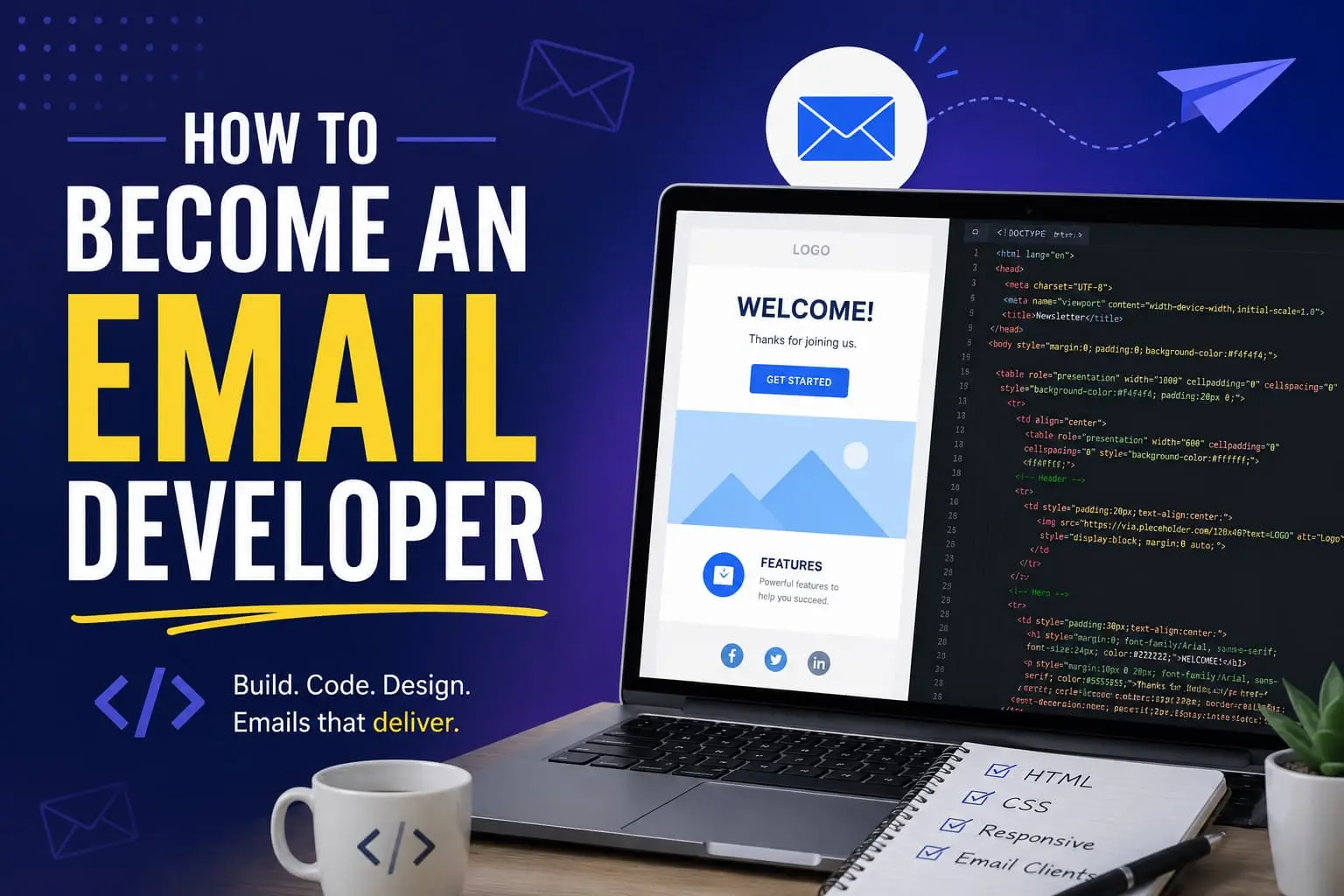
How to Become an Email Developer
On this page
Email HTML is basically frozen in 2003. While the rest of the web moved on to flexbox, grid, and frameworks that re-render themselves, the inbox stayed put. You still build emails with nested <table> tags, inline styles on every element, and a stack of conditional hacks aimed squarely at the way Outlook insists on rendering things with Microsoft Word's engine.
Most developers hear that and run. I think that's the opportunity.
Here's the thing nobody tells you: that "outdated" stack is the moat. The reason email looks crusty under the hood is the same reason companies will pay you well to handle it. Almost nobody wants to learn the old rules, so the people who do become quietly indispensable. The skill set is small, it's learnable in months, and the work is remote-friendly in a way most junior roles aren't anymore.
So let me say it plainly, because nobody told me early enough: email development is not the consolation prize. It's the side door into a real, well-paid technical career, and it's wide open precisely because everyone walks past it chasing the crowded front entrance.
If you've been telling yourself it's "not real coding," this post is for you.
The stories we tell ourselves about email dev
I've heard all of these. I've said some of them.
- "It's not real coding."
- "It's just HTML, anyone can do it."
- "There's no career growth in it."
- "AI is going to automate it away."
- "Recruiters won't take me seriously."
Here's the harder truth, the one I had to learn by watching it play out on real teams: almost none of that is true, and the parts that are true are exactly where your advantage hides.
Email development looks simple from the outside. That perception is the moat. It keeps the applicant pool tiny while the demand stays steady, which is the opposite of what's happening in front-end and full-stack right now, where a junior opening gets hundreds of applicants in a weekend. Scarcity is the whole point.
What an email developer actually does
An email developer builds the marketing and lifecycle emails a company sends, coding them in HTML and CSS so they render correctly across Outlook, Gmail, Apple Mail, and the dozens of other clients people actually open mail in.
It sits between design and engineering. A designer hands you a concept. You turn it into a responsive, on-brand, bulletproof email that works everywhere and drives revenue. Then you wire it into an email platform (an ESP) so the marketing team can send it.
The reason it pays is the reason it's hard: email HTML is stuck in 2005. Outlook still renders with a Microsoft Word engine. Half the modern CSS you know doesn't work. So the job isn't "anyone can write a <table>". It's "can you make one layout look right across forty inboxes that all disagree with each other." Most marketers are terrified of that. Most front-end devs won't touch it. You can.
What a normal day looks like: a designer or marketer hands you a Figma mockup and a deadline. You code the email, test it across clients, fix the three things Outlook broke, load it into the ESP, set up the audience and any dynamic content, send yourself a test, and ship. Some days it's net-new builds; a lot of days it's adapting a proven template for the next campaign. It's focused, deadline-driven, and genuinely satisfying when a tricky layout finally renders clean everywhere.
Email developer vs. email designer vs. email marketer
People mix these three up constantly, and the confusion is worth clearing because it's also where your leverage lives.
- The email marketer owns strategy: who gets the email, when, what the offer is, and whether it worked. They live in spreadsheets and results, not code.
- The email designer owns the look: the layout, the visuals, the mockup in Figma. They usually hand off a static design.
- The email developer (you) turns that design into a coded, tested, working email and wires it into the sending platform.
On a big team these are three different people. On a small team they're one person wearing all three hats, and that's the opportunity. The developer who also understands the marketing and can make design calls is worth far more than someone who only translates a mockup into markup. Aim to be the technical person who gets the whole picture, not just the code.

The skills, in the order I'd learn them
You don't need a degree and you don't need to be a senior engineer. You need a specific, learnable stack. Here's the order that gets you job-ready fastest.
1. HTML and CSS: but the old, table-based kind. Forget flexbox and grid for a moment. Email is built with nested <table> layouts and inline CSS. It feels backwards. Learn it anyway. This is the core craft and the thing that makes you rare.
2. Responsive email techniques. Media queries, fluid layouts, and the "hybrid/spongy" approach that makes one email work on a phone and a desktop without breaking. This is where you go from "makes emails" to "makes emails that don't fall apart."
3. Rendering quirks across clients. The unglamorous knowledge that pays the bills: what breaks in Outlook, how dark mode mangles your colors, why your image isn't showing in Gmail. You build this by testing, breaking things, and fixing them.
4. An ESP or two. Klaviyo, Mailchimp, HubSpot, Salesforce Marketing Cloud, Braze, pick one and learn how templates, sends, and basic automations work inside it. Knowing the platform, not just the code, is what makes you hireable instead of theoretical.
5. A testing tool. Litmus or Email on Acid let you preview an email across every client at once. This is how real email developers ship with confidence instead of crossing their fingers.
6. A little extra leverage. Light scripting, MJML (a framework that compiles to bulletproof email HTML), AMP for email, basic personalization and dynamic content. These are the things that separate a junior from someone a team fights to keep.
Notice what's not on this list: data structures, algorithm interviews, a four-year degree. The bar is real, but it's a different bar, and it's one you can clear in months, not years.
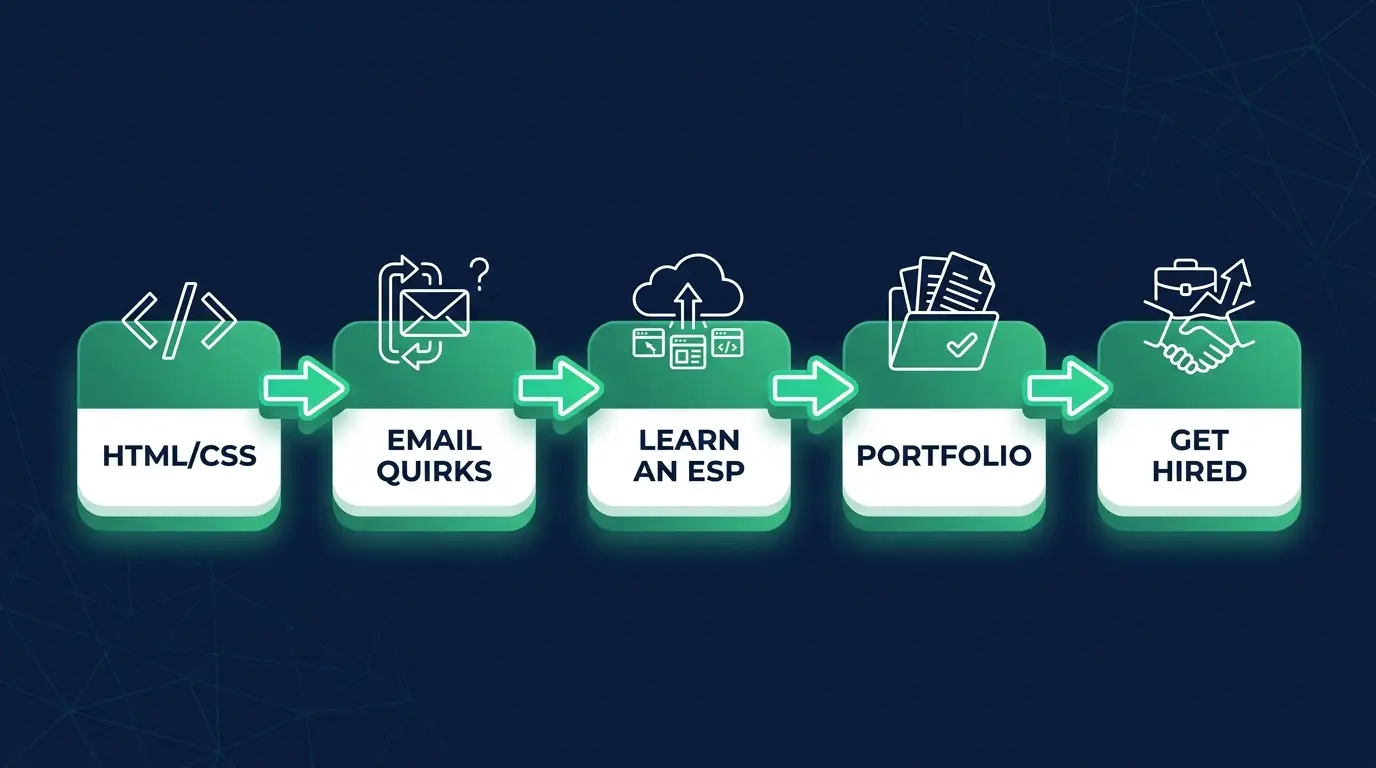
A realistic roadmap: your first 90 days
You don't have to do this in exactly twelve weeks, your pace depends on how many hours you can put in. But this is the order that gets you from zero to applying without spinning your wheels.
- Weeks 1 to 3: Fundamentals. Learn table-based HTML and inline CSS. Build one simple, single-column email by hand. Don't worry about it being pretty yet; worry about understanding why email is built this way.
- Weeks 4 to 6: Responsive and rendering. Add media queries and a fluid layout. Then deliberately break things: open your email in Outlook, in Gmail, in dark mode, and fix what falls apart. This is the skill, so spend real time here.
- Weeks 7 to 9: Learn an ESP. Sign up for a free Klaviyo or Mailchimp account. Load a template, build a basic automation, send yourself a test. Now you understand the platform, not just the code.
- Weeks 10 to 12: Portfolio and applying. Build three or four polished, cross-client-tested emails. Rebuild a famous brand's newsletter so well it's indistinguishable. Publish them with the test screenshots that prove they render, then start applying.
The mistake to avoid: trying to learn everything before you build anything. Build a real (broken, ugly) email in week one. You learn this craft by fixing what breaks, not by reading about it.
What email developers actually earn
Let me give you honest ranges instead of a single inflated number, because pay swings hard based on location, which ESP you know, and whether you do template work or systems work. These are rough US figures, adjust down for many international markets, up for high cost-of-living hubs:
- Entry / junior: roughly $50k to $70k. You can code clean, tested emails and work inside an ESP.
- Mid-level: roughly $70k to $95k. You handle complex builds, dynamic content, and automations with little hand-holding.
- Senior / specialized: $100k and up. This is where enterprise platforms (Salesforce Marketing Cloud, Braze, Iterable) and real automation engineering live. The rarer the platform, the higher the pay.
- Freelance / contract: commonly $40 to $100+/hour, climbing with your ESP expertise and the results you can point to.
The pattern is simple: pay tracks rarity. Pure "make this mockup into HTML" work sits at the bottom. The developer who knows a hard enterprise ESP, builds the automation, and understands deliverability sits at the top, and there are far fewer of them than the demand calls for.
How to actually get hired
Skills get you ready. These get you the job.
Build a portfolio of real emails. Not screenshots, actual coded, working emails. Rebuild a famous brand's newsletter. Code three emails that render perfectly across clients and show the test results. A portfolio of working email beats a résumé bullet every single time, because it proves the one thing employers can't verify any other way.
Learn one ESP deeply enough to talk shop. Being able to say "I built this flow in Klaviyo and here's why I structured it this way" puts you ahead of someone who only knows code in the abstract.
Apply for the right titles. "Email Developer," "Email Marketing Developer," "Lifecycle/CRM Developer," "Marketing Engineer." Many are fully remote or contract, email dev is one of the most remote-friendly roles in martech.
Lean into being the technical one. On a marketing team, the person who can actually code is the most capable person in the room, not the fiftieth qualified applicant. That positioning is your whole edge, use it.
Where the jobs actually are
The roles hide under a few different titles and live in three kinds of places:
- In-house at brands, e-commerce companies, and SaaS teams that send a lot of email. Deeper work, one brand, steadier rhythm.
- Agencies: email, CRM, and lifecycle-marketing shops that build for many clients. This is the fastest way to rack up reps, because you'll touch dozens of brands and ESPs in a year.
- Martech vendors: the ESP companies themselves hire developers for implementation and solutions work.
Search for "Email Developer," "Email Marketing Developer," "HTML Email Developer," "CRM Developer," and "Lifecycle Developer", the same job wears several names. A lot of these are remote or contract, so you're not limited to who's hiring in your city. Early on, agency or contract work is often the quicker door in, because they care about your portfolio more than your résumé.
The tradeoffs, said honestly
I won't sell this as a clean win, because it isn't, and you deserve the real picture.
The front-end is constrained and old-fashioned. If you love modern frameworks and elegant CSS, table-based email layout will genuinely annoy you some days. The scarcity that makes the job valuable comes from that friction.
Some people will underestimate the title. "Email developer" doesn't carry the dinner-party shine of "software engineer." If title prestige matters a lot to you, weigh that honestly.
AI does change the work: it doesn't erase it. AI speeds up the boilerplate, but someone still has to understand rendering, deliverability, and how the ESP actually behaves. The developers who use AI to ship faster while knowing what's happening under the hood are more valuable, not less.
And here's the reframe I keep coming back to: a "narrow" skill that's rare beats a "broad" skill that's everywhere. Email development isn't a smaller career. It's a less crowded one.
FAQ
Do I need a degree to become an email developer? No. It's a skills-based, portfolio-driven role. Employers care that you can build emails that render and convert, not which degree you hold. A portfolio of working, cross-client-tested emails is worth more than any credential here.
How long does it take to become job-ready? If you're starting from zero, a few focused months is realistic, long enough to get comfortable with table-based HTML/CSS, responsive techniques, one ESP, and a small portfolio. If you already know basic HTML and CSS, it's faster, because you're adding the email-specific layer on top of skills you have.
Is email development real coding, or just HTML? It's real, and it's harder than it looks. Making a single layout render correctly across Outlook, Gmail, Apple Mail, and dark mode is a genuine engineering problem with constraints most web developers never face. The "it's just HTML" reputation is exactly why the field stays uncrowded.
Will AI replace email developers? No, but it changes the job. AI handles repetitive markup faster, while a human still has to understand rendering quirks, deliverability, and the ESP. The most valuable email developers use AI as leverage on top of real understanding, which makes them harder to replace, not easier.
How much do email developers make? In the US, roughly $50k to $70k entry-level, $70k to $95k mid-level, and $100k+ for senior or specialized roles on enterprise platforms like Salesforce Marketing Cloud or Braze. Freelancers commonly charge $40 to $100+ an hour. Pay tracks how rare your specific skills are, the harder the ESP and the more automation you handle, the higher it climbs.
Do I need to know JavaScript? Not to start. The core job is HTML and CSS, and standard email mostly can't run JavaScript anyway. A little scripting helps for tooling, build steps, and interactive (AMP) email, and it raises your ceiling, but you can land your first role without it.
Can I work remotely as an email developer? Yes. It's one of the most remote-friendly martech roles. The work is digital end to end, and plenty of teams hire email developers fully remote or on contract.
Are email developer certifications worth it? A few help you get past a first screen and none replace a portfolio of templates that render correctly. The honest breakdown is in email developer certifications.
If you can already code even a little, you've done the hardest part, most people never get past it. The piece you're missing isn't more algorithms. It's a focused, in-demand skill that turns "I can code" into "I'm the person this team can't replace." That's the whole idea behind our email marketing specialist career path: take the coding you have, point it somewhere the supply is low and the demand is quietly high, and stop competing with a thousand other applicants for the same crowded role.
You don't need permission to start. You just need to pick the door fewer people are walking through. I've got you.