Web Administrator Interview Questions: What They Ask and How to Answer

On this page
"Walk me through publishing a new landing page, start to finish."
I've watched candidate after candidate go quiet on that one. Not a trick question, not a gotcha, just the Monday-morning stuff, and they freeze because they prepped for a coding interview that was never coming. I've sat on the hiring side of this. The bar is lower than people think, and a candidate who has actually rehearsed the boring answers looks like a unicorn by minute five.
So that's the good news. If you can talk calmly about publishing, QA checklists, redirects, and working with a marketing team that changes its mind on Thursday, you're already ahead of most of the room.
Still deciding if this career is for you? Start with how to become a web administrator. Got an interview on the calendar? Here are the questions that actually come up.
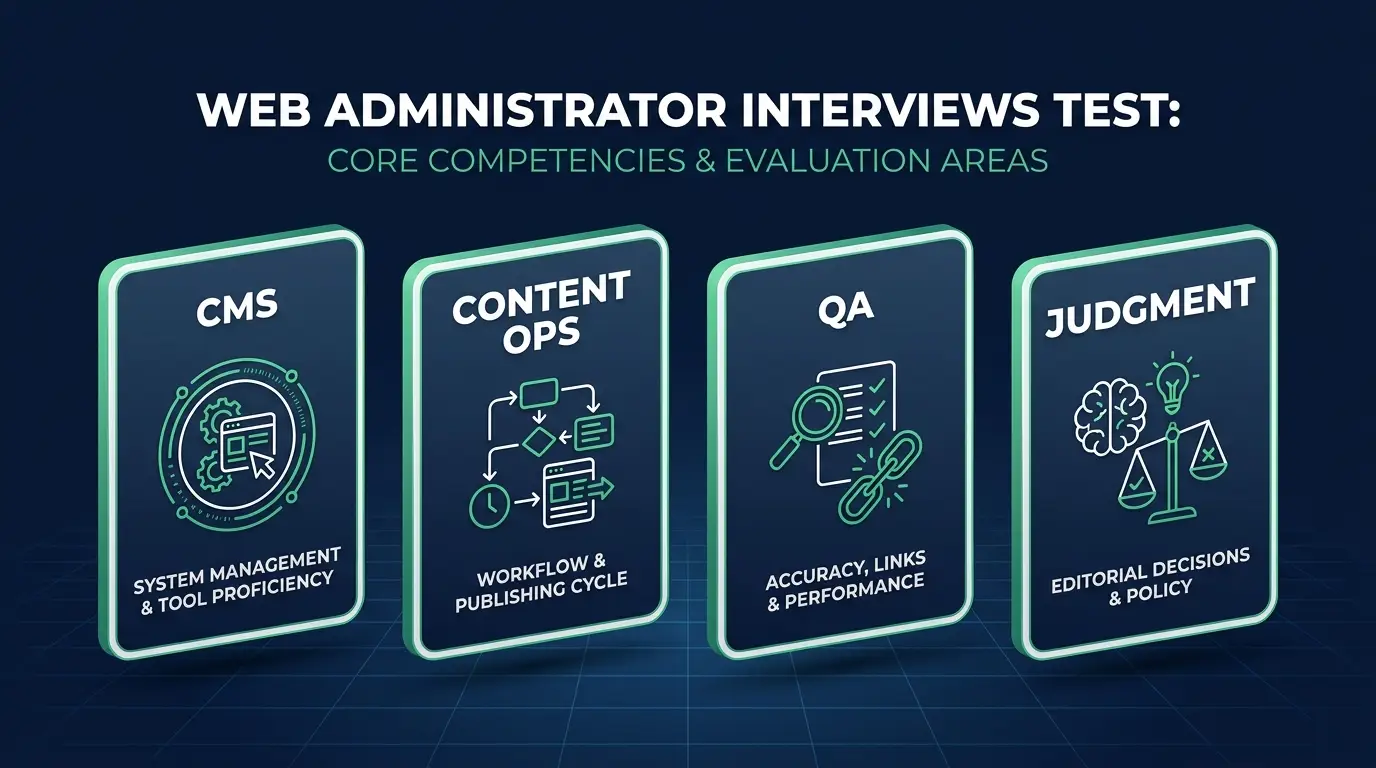
What web administrator interviews actually test
Nobody is going to ask you to reverse a linked list. And despite what half the internet tells you, nobody is going to grill you on firewalls or server uptime either. That's a different job, with a different pager. This one is content operations: you're the person who runs the website day to day through the CMS. Same family as webmaster, web producer, web content manager, website manager.
What they're really testing is ownership. Can they hand you the company website, with all its pages and promos and product updates, and trust that nothing goes out broken, off-brand, or late? Every question is a proxy for CMS fluency, attention to detail, calm coordination with marketing and design, and whether you check your own work when nobody's watching.
Here's the reframe I give every student: answer every question like you're narrating your first publish day, in order, out loud. Process beats trivia in this interview, every time.
CMS and publishing questions
The CMS is your workshop, so expect these to dominate:
- Walk me through publishing a new landing page end to end.
- What is a child theme and why does it matter, even if you're not a developer?
- How do you schedule and stage content ahead of a launch?
- How do you manage media: image sizing, compression, alt text?
- How would you set up user roles for a marketing team?
- What do you check before hitting publish?
- Page builders vs the block editor: when would you use each?
- How do you keep a multi-page promo consistent?
The ones that matter most:
Walk me through publishing a new landing page. Start with the request: what's the goal, who approved the copy, what's the deadline. Build it as a draft using the site's existing templates and components so it matches the brand instead of becoming a one-off page nobody can maintain later. Load the final copy and images, fill in the meta title, meta description, and slug, set the alt text, and preview it on desktop and mobile. Click every link. Test the form, actually submit it, and confirm the notification lands somewhere a human reads. Then publish (or schedule it), check the live URL one more time, and tell whoever requested it that it's up, with the link.
That last part is what they're listening for. I once watched a launch page sit live for two full days with a contact form wired to an email address that had been deactivated in a company reorg. Forty-some leads, gone. The page looked perfect. Nobody had pressed submit. The admin who says "done" without checking is the one who ships that page, and every interviewer has met that admin.
What is a child theme and why does it matter? It keeps your customizations separate from the parent theme, so a theme update doesn't wipe them out. You may never build one yourself. You need to know it exists, because the day someone asks you to "just tweak the footer text in the theme file" is the day this knowledge saves the site. It also tells you when a request has crossed from content work into developer work, which is exactly the judgment this role needs.
How do you schedule and stage content? Everything gets built as a draft or on a staging page first, never live. For a timed launch I use the CMS's scheduling feature, but I'm still online at the publish time to verify it went out looking right, because scheduled posts fail quietly more often than anyone likes to admit. "The promo never went live" is a conversation you only want to have once.
How do you manage media? Resize to the dimensions the layout actually needs before uploading, compress (WebP where the CMS supports it), and name files descriptively instead of IMG_4382. Every image gets real alt text that describes it, which is an accessibility requirement and free SEO in the same keystroke. A media library full of 6MB camera originals is probably the most common reason a site "feels slow," and it's entirely preventable.
How would you set up user roles for a marketing team? Least privilege. Writers get Author or Contributor, the marketing lead gets Editor, and Administrator stays with one or two people who genuinely need it. Marketing doesn't get admin. Not a trust thing. Admin can install plugins and change settings, and one well-meaning "I just installed this popup tool" can take a site down at 2pm on a Tuesday. Most CMS messes I've cleaned up started with too many admins.
Content ops, QA, and e-commerce questions
This section separates "I've used WordPress" from "I've run a website":
- What's your QA checklist after a site-wide change?
- How would you update 200 product prices without breaking anything?
- A page's URL is changing. What do you do about the old one?
- How do you triage broken links across a site?
- How do you keep brand consistency across dozens of pages?
- How do you coordinate a launch with marketing and design?
- Which SEO fields do you own, and how do you fill them?
The ones worth rehearsing out loud:
How would you update 200 product prices? Never one by one, and never straight onto the live site on a Friday afternoon. Export the products to CSV, update prices in the spreadsheet where you can sort and sanity-check them, then re-import using the store's bulk tool (WooCommerce and Shopify both have one). Before the import, back up or export the current data so you can roll back. After it, spot-check a sample: a few cheap items, a few expensive ones, anything with variants, plus how they display on the actual product page and not just in the admin table. Bulk edits are where a misplaced decimal turns a $199 product into a $1.99 product and somebody buys eleven of them before you notice. Interviewers know it. That's why they ask.
A page's URL is changing. What do you do? Set a 301 redirect from the old URL to the new one. Every time, no exceptions. Old links live everywhere: Google's index, email campaigns you sent in 2023, other people's sites, someone's bookmarks. Without the redirect all of that traffic hits a 404 and the page's ranking starts over from zero. I keep a plain log of redirects I've added so the next person isn't guessing.
How do you triage broken links? Run a crawler (Screaming Frog, or the host's link checker) instead of clicking around hoping. Then prioritize: homepage, main navigation, and anything inside checkout gets fixed today. A dead link in a 2019 blog post can wait for the batch pass. Fix by updating, redirecting, or removing, then re-crawl to confirm. The method matters more than which tool you name.
Which SEO fields do you own? Meta titles, meta descriptions, slugs, image alt text. On every page I touch. I'm not the SEO strategist, but I'm the last person to see a page before it goes live, so if the title tag still says "Home" or the description is blank, that's on me. Unglamorous work that compounds.
Light technical basics
You don't need to be a sysadmin. You need enough footing to not be helpless:
- A page looks broken right after a plugin update. What's your first move?
- What is cPanel, and when would you actually open it?
- When do you escalate to the host or a developer?
- Someone says "we're changing the DNS this week." What does that mean for you?
- What do you check about backups before a big content change?
The two to have cold:
A page looks broken after a plugin update. Hard-refresh and check in a private window first, because half the time it's your own browser cache lying to you. Still broken? Clear the site's cache. Still broken? The update is the prime suspect: roll that plugin back to the previous version or restore from the pre-update backup, and confirm the page recovers. Then report what happened and hold the update until it's been tested somewhere that isn't production. The sequence is the answer. It proves you troubleshoot with evidence instead of panic-messaging a developer at step one.
What do you check about backups before a big content change? That a recent backup exists, that it actually completed, and how to trigger a restore, all of it before I need any of it. I don't manage the backup system. The host or the dev team usually does. But I never start a bulk import or a site-wide find-and-replace without knowing there's a clean copy from today. Knowing where your undo button is turns a very bad afternoon into a five-minute fix.
On the others: cPanel is the hosting control panel, and in this role you might open it a few times a year, to grab a file over the file manager or check that an SSL renewal went through. That's a fine thing to say out loud. Escalation is simple: content, pages, and CMS settings are yours; server errors, code changes, and anything touching DNS or email go to the host or a developer, with a clear description of what you saw and when you saw it. And a DNS change mostly means one thing for your day. The site may be in flux, so you freeze publishing until whoever owns the change confirms it's done.

Scenario questions
These decide the interview. Common setups:
- Marketing needs five landing pages by Friday and design is running late. What do you do?
- The homepage hero is showing an old promo, but only on mobile. Walk me through it.
- You publish a page and the client says a section is missing. Now what?
- You inherit a site with no documentation. What does your first week look like?
Model answers for the two you're most likely to get:
Five landing pages by Friday, design is late. Don't sit and wait for assets, and don't start designing them yourself either. Build all five now as drafts on existing approved templates, final copy in place, placeholder images clearly marked so nobody mistakes them for finished work. Then flag the risk early to whoever owns the deadline, in writing: "Pages are built and staged; I need final assets by Thursday noon to QA and publish by Friday." When design delivers, you're dropping images into finished pages instead of starting from zero at 4pm. Two things are being graded here: you kept moving, and you raised the risk before it became a surprise in someone's Friday standup.
Old promo in the homepage hero, mobile only. Desktop and mobile showing different content almost always means caching. Confirm it yourself first, on a real phone or in DevTools mobile view, not off the client's screenshot. Then check whether the site serves a separate mobile version or has a caching layer that stores mobile and desktop separately, and purge it. Fixed? Verify on a couple of devices and reply with a screenshot. Not fixed? Look at whether the hero has device-specific settings in the page builder, because sometimes somebody updated the desktop hero and forgot the mobile variant even exists. Narrate it in that order and you sound like a person who has actually shipped through a page builder at 9pm.
Questions you should ask them
Asking these makes you sound like someone who's done the job:
- How many publishes go out in a typical week? Five pages or fifty is a very different job.
- Who approves content before it goes live, and who has the final say when marketing and brand disagree?
- Which CMS (or CMSs) am I working in? One WordPress site, or WordPress plus Shopify plus a legacy thing nobody loves?
- How do requests come in? A ticket queue, a project tool, or Slack messages at 4:55pm?
- What does documentation look like today? A publish checklist, or one person's memory?
The answers tell you whether you're joining a system or becoming the system.

How to prepare in the week before
Don't cram certifications. A small demo beats a cert wall, because interviewers trust what you've done over what you've memorized.
Two artifacts do most of the work. First, a small demo site with three genuinely polished pages: a landing page, a product or service page, and a blog post, each with proper meta fields, compressed images, and real alt text. Second, a documented publish/QA checklist, your own written version of "what I check before and after every publish." Bring both up in the interview, unprompted if you have to. These web administrator portfolio examples show what that looks like in practice.
Then rehearse the scenario answers above out loud until they're boring. Boring is what calm sounds like.
Get the paperwork tight too. Inside CodingPhase, members use the résumé builder (built to pass ATS screening) and the job board to line up interviews, because plenty of capable candidates never get the call in the first place.
One honest note: you can't prep for everything. Every company has a weird CMS setup or a plugin stack nobody fully understands, and you will get asked about theirs. When you hit a question you can't answer, say how you'd find out. "I'd check the CMS docs and ask which developer owns that" is a good answer. Bluffing is the only failing one.
FAQ
Do web administrator interviews include coding tests? Rarely. You may be asked to read a snippet of HTML or CSS, or to explain what a small change would do, but whiteboard algorithms are unheard of. Publishing walkthroughs and QA scenarios dominate.
Do I need to know about servers and security for a web administrator interview? Only at awareness level. Know what cPanel is, what a DNS change means for your publishing schedule, and when to escalate to the host or a developer. Security, uptime, and incident response belong to other roles; this job is running the site's content.
How long should I prepare for a web administrator interview? One focused week. Spend it rehearsing scenarios out loud and building the demo site and publish checklist, not memorizing definitions.
What salary should I expect as a web administrator? It varies by market and how much of the site you own. I break down real numbers by experience level in the web administrator salary guide.
Can web administrators work remotely? Yes, it's one of the most remote-friendly roles in tech since the CMS was never in your office anyway. Here's where to find remote web administrator jobs.
What certifications do I need? None are required. A polished demo site and calm scenario answers carry more weight than any certificate I've seen.
Walk in with a demo site, a written publish checklist, and calm answers to the Monday-morning questions, and you'll stand out more than you can imagine. I've watched it happen more than once.
If you want the full roadmap from zero to interview-ready, the web content manager career path walks you through every skill in order, with real projects you can put in front of a hiring manager. You're closer than you think. Go get the job.