Drupal vs WordPress: Which CMS Should You Learn for a Web Job?
On this page
Search "Drupal vs WordPress" and read the first few results. Nearly all of them answer a question you may not be asking: which one should I build my website on?
If you're here because you want a better job, that's the wrong comparison. You won't be choosing a platform for a company. The company chose years ago, probably before you got there, and now it needs someone who can keep the thing running and publish to it without breaking anything.
So the question I'd ask is different. Which CMS gets you hired first, and which one is worth learning later?
My answer is WordPress first, and it isn't close. Drupal is still a very real career move for the right person, though, and I'll show you who that is.
WordPress vs Drupal: the short answer
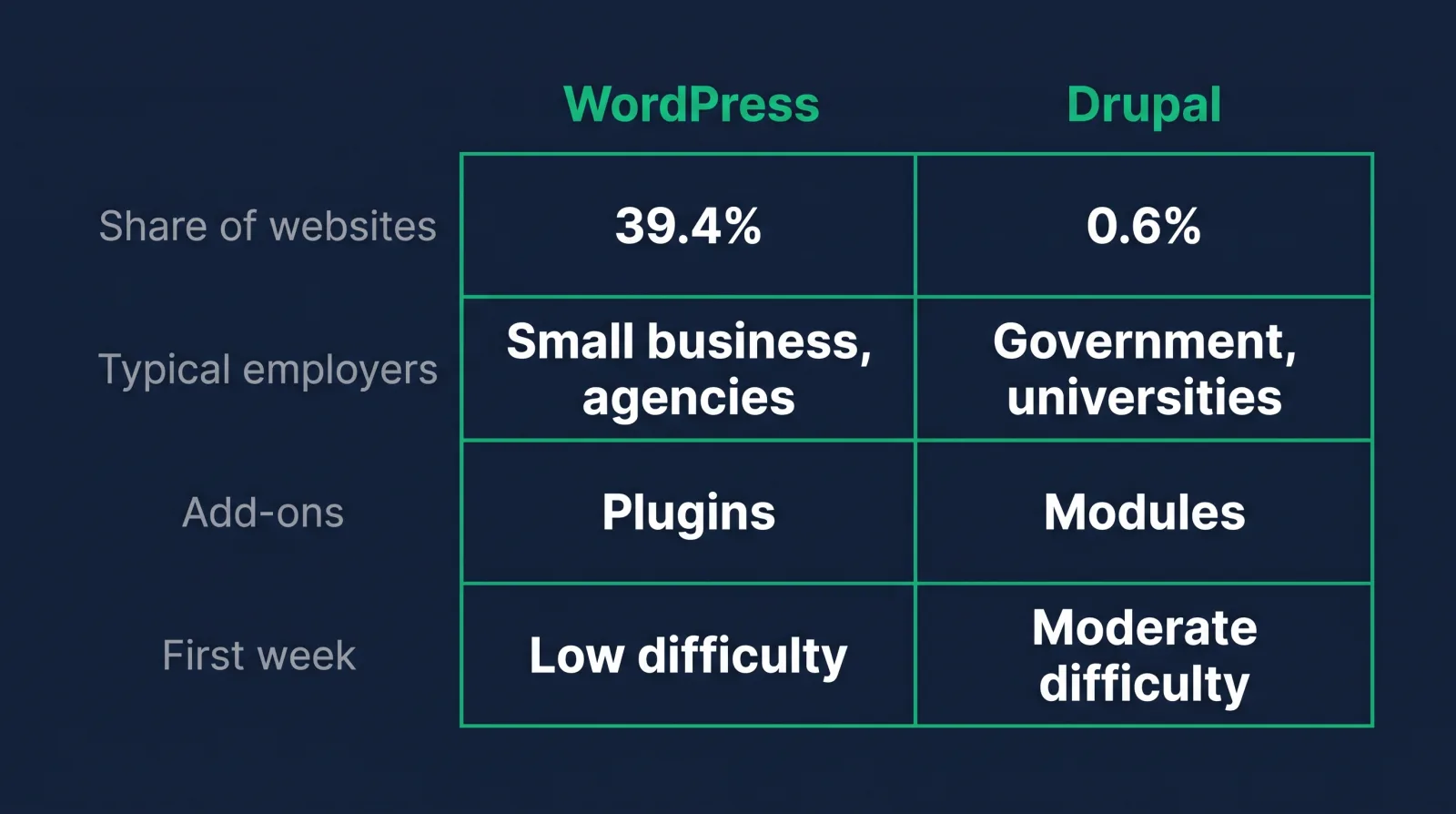
Learn WordPress first. WordPress runs 39.4% of all websites and Drupal runs 0.6%, so far more employers need WordPress help at the entry level. Add Drupal later if you want government, university or large enterprise work.
Those usage figures come from W3Techs, as of November 9, 2026. Among sites using a CMS it's 58.1% for WordPress and 0.9% for Drupal.
That's roughly 65 WordPress sites for every Drupal site. Websites aren't jobs, and I don't want to pretend the ratio converts neatly. One big university running Drupal might employ a whole web team, while thousands of little WordPress sites employ nobody. But when you're trying to land the first role, the number of doors matters more than what's behind any one of them.
Side by side, for someone learning them:
| WordPress | Drupal | |
|---|---|---|
| Share of all websites (W3Techs) | 39.4% | 0.6% |
| Typical employer | Small business, agency, marketing team, publisher | Government, university, large organization |
| Add-ons are called | Plugins | Modules |
| First-week difficulty for an editor | Low | Moderate, depends on the build |
| Where the risk tends to sit | Third-party plugins | Upgrades and custom code |
| Best use for your career | First job | Specialty after that |
Who actually uses each CMS
WordPress powers small businesses, blogs, publishers, agencies and plenty of large marketing sites. Drupal skews toward enterprise teams at government agencies, universities, media companies and nonprofits with complicated content, many editors and strict approval rules. Your target employer should decide which CMS you learn.
Drupal's own project page names the BBC, NBC, Amnesty International and the University of Oxford among its users, and describes government agencies in the US, London and France using it to communicate with citizens. Look at what those organizations have in common. Thousands of pages, lots of departments, content in several languages, legal review before something goes live.
That's the enterprise problem Drupal was built around, and it's why people who work with it tend to defend it so hard.
WordPress runs at the other end of the size range and a long way up from there too. The local dentist, the regional magazine, the SaaS company's marketing blog, the agency with sixty client sites. If you're applying to web content jobs at ordinary companies, this is mostly what you'll run into, along with Shopify on the ecommerce side. My guide to the best CMS platforms to learn covers the rest of the field.
Try this: go to a job board right now and search both names plus "content" in your city or under remote. You'll see the volume difference for yourself, on today's numbers, and you'll see what kinds of employers post each. That's better than any statistic I could hand you.

Ease of use for content editors
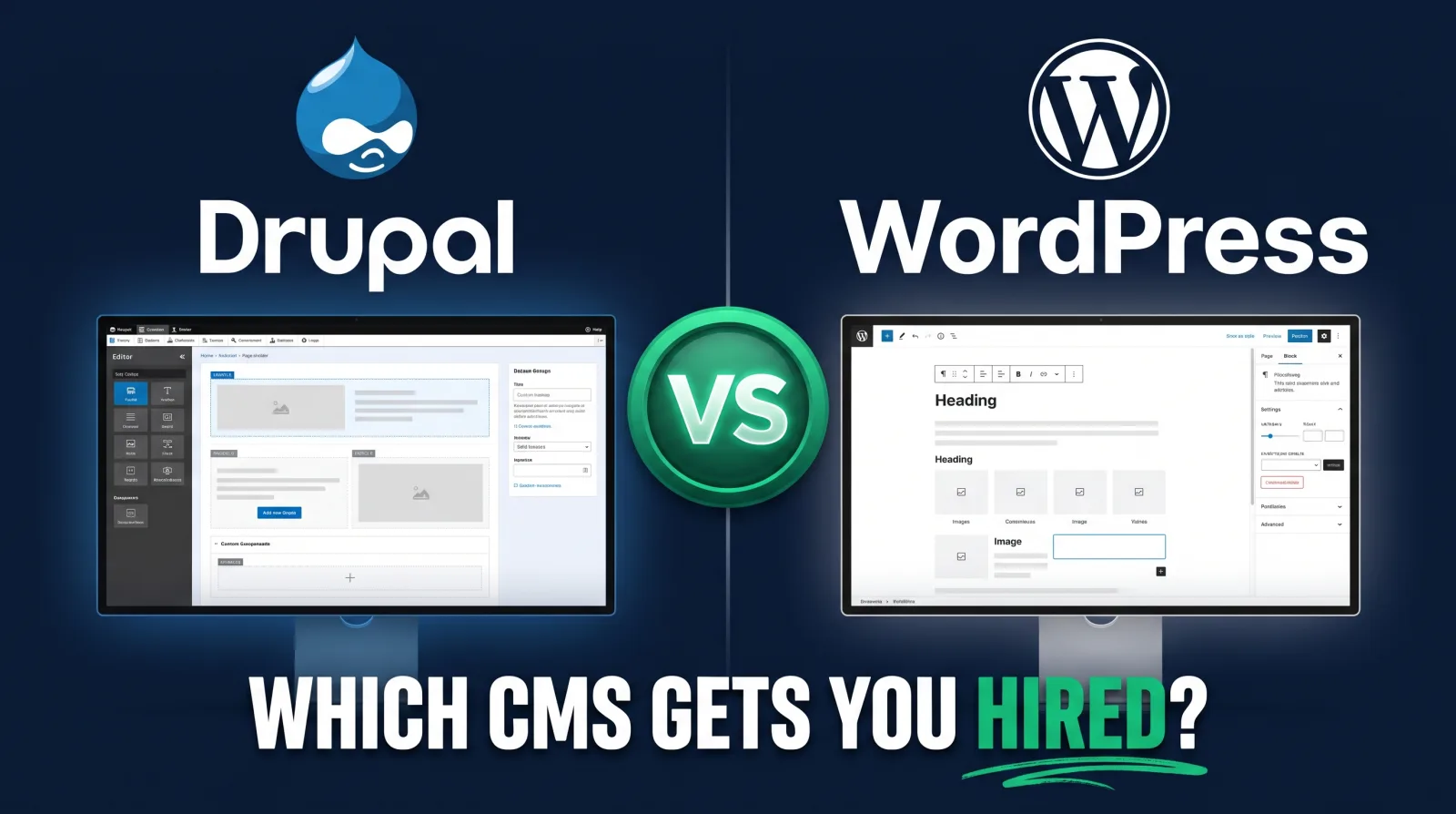
WordPress is easier for most new content editors, because the block editor works the same way on nearly every site. Drupal's editing experience depends heavily on how each site was built, though newer Drupal CMS packaging aims to close that gap.
In WordPress you open a page, add blocks, publish. The admin looks roughly alike from one company to the next, even when the theme is wildly different. Learn it once and you've learned most of it, and that's a huge deal when you're trying to tell a hiring manager you can be useful by Friday.
Drupal is structured differently. You work with content types, fields, taxonomy and views, and the site's builders decide what editors see. Two Drupal sites can feel like two different products. That customization is the point of the platform and the reason a new editor can feel lost for the first while. Heavy customization also means your training from the last job may not map to this one.
Drupal has been working on this. Drupal CMS is a packaged version aimed at "marketers, content creators and site builders," with ready-made content types, visual page building through Drupal Canvas, and built-in SEO tools. Worth knowing about. Most existing enterprise Drupal sites were custom built, though, so don't assume the job you land will look like the demo.
Where Drupal really shines for enterprise editors is governance. Content Moderation is a core module that lets a published page stay live while a separate working copy goes through review. If you've ever worked somewhere that legal has to sign off on a paragraph, you'll understand why large organizations love that. WordPress can do editorial workflows too, usually with an add-on.
Plugins vs modules
WordPress plugins and Drupal modules both add features to the core CMS. WordPress plugins are usually simpler to install and configure. Drupal modules tend to assume more technical knowledge and often need someone technical to set them up properly on a real site.
The numbers on both sides are large enough that "will there be one for that?" is almost never the problem. Drupal.org lists more than 56,000 modules, and wordpress.org calls its plugin directory the largest directory of free and open source WordPress plugins.
The practical difference shows up on a Tuesday afternoon. Your boss wants a new form on a landing page. On WordPress, a non-technical editor can often add one and have that form live before lunch. On a serious Drupal build, adding a module is more likely to go through Composer, a staging environment and a deployment window.
Depending on your personality, that's either maddening or a relief. Slower means fewer accidents.
The same split applies to the theme layer. Buying or swapping a WordPress theme is an everyday thing. A Drupal theme on a large site is usually custom work owned by developers, so as a content person you'd rarely touch one.
Security and maintenance
On security, neither CMS is automatically safer. WordPress risk concentrates in third-party plugins, and Drupal's risk sits more in demanding upgrades and custom code. Whichever one you run, security comes down to updates, permissions and how careful the people touching the site are.
Patchstack's 2026 report counted 11,334 new WordPress vulnerabilities in 2025. Sounds terrifying. But 91% were in plugins, 9% were in themes, and just 6 were reported in WordPress core, all low priority. WordPress itself is in decent shape. The risk comes from the pile of add-ons someone installed in 2019 and forgot about.
Drupal gets credit for a strong security reputation, with a dedicated security team and security release windows on the third Wednesday of each month. Its smaller footprint also makes it a less attractive target for mass attacks. I wouldn't treat that as immunity.
Drupal's maintenance burden is its own thing. According to that same release schedule, Drupal 10 reaches end of life on December 9, 2026, and Drupal 12 is planned for the same week. Organizations have to keep up with that cycle, and sites with heavy custom code feel every upgrade. WordPress core updates are usually less dramatic, and security fixes commonly apply on their own.
For a content or web administrator role, you probably won't be patching servers either way. Your part in site security is simpler: keep your own account tight, remove people who've left the company, don't install random plugins because a blog post told you to, and tell someone when an update is overdue. Hosting and server work typically belong to IT, and which hosting company the site uses rarely changes your day.
Drupal vs WordPress jobs and pay: where the openings are
WordPress has many more openings, especially entry-level content and web roles. Drupal has fewer openings but often sits at larger employers with structured pay. If your goal is getting hired soonest, WordPress gives you far more places to apply.
I'm not going to quote you a "Drupal salary versus WordPress salary," because I haven't seen a dataset on that I'd trust. Plenty of sites publish those numbers, and most of them are scraped averages that mix one-person freelancers with staff engineers.
The US Bureau of Labor Statistics puts median pay for web developers and digital designers at $99,520 as of May 2025. That's for the developer category, across all platforms, so don't read it as the salary for a content role. The web content jobs our students aim for pay $75k+, individual results vary.
What tends to be true is that scarcity works in a Drupal specialist's favor. Fewer people know it, and the employers using it can't easily switch. Government and university jobs also bring structured pay bands and benefits, plus slower hiring processes you should budget for. A senior Drupal specialist is in a nice spot, which is the honest case in any Drupal vs WordPress argument.
But that's a senior developer. For a career changer with a job and bills, a slightly better-paying specialty with very few openings doesn't help until you've gotten through the door somewhere. Get the first role, then specialize with an employer paying you to learn.
If you want a sense of what the WordPress side looks like when you're trying to prove yourself, I wrote about WordPress certification and what employers check instead. And this breakdown of the web content specialist job shows the role most people in this position are aiming for.
Which CMS to learn first
Start with WordPress, get comfortable publishing and managing a real site, then learn CMS concepts that carry across platforms. Pick up Drupal when a specific employer or job posting makes it worth your time. Most of what you learn will transfer.
A sensible order looks like this:
- Build and publish on WordPress. Pages, posts, media, menus, redirects, user roles, SEO fields. Do it on a site you own so you can break it safely.
- Learn the parts that travel. Content modeling, metadata, taxonomy, accessibility, basic HTML, and the way a publishing workflow runs. These are the same ideas in Drupal under different names.
- Show it in a portfolio. A site you built, a page you fixed, a content cleanup with before and after.
- Apply widely. Include the jobs that name "a CMS" without saying which one.
- Learn Drupal when there's a reason. A posting you want, an employer in your area, a move into higher ed or government.
Picking Drupal first makes sense in one situation: you already know the employer. If your city's biggest employer is a state university running Drupal, or you've got a friend on that web team who says they're hiring, go learn what they use. A specific job beats any general advice, including mine.
Moving between them isn't a career reset either. Someone who's handled real editorial work in WordPress can explain structured content in an interview for a Drupal job, and Drupal has a migration framework in core for bringing data in from outside systems. Those projects are also where web people get noticed. A site move is a big, visible, stressful job, and my website migration checklist walks through what's involved.
What the work looks like day to day
Day to day, both platforms mean publishing pages, fixing content, updating menus, managing media and working with marketing teams. WordPress jobs usually involve more variety and speed. Drupal jobs usually involve more process, more approvals and bigger sites.
A web content job on WordPress might have you launching a landing page in the morning, cleaning up old blog posts after lunch, then fixing a broken form because the plugin updated. You'll usually be close to marketing, and you'll usually be the person who knows how the site works.
On Drupal at a large institution, the same day might be a page moving through three review states, a meeting about taxonomy for a department's new section, and a ticket to a developer about a field that needs to change. Less hustle. More documentation, and much more patience.
I'd take an honest look at which of those sounds like a good Tuesday to you. Some people love the structure of a big institution, and some would climb out a window by week two.
The core skill is the same in both cases: you're the person who keeps a website accurate, findable and on brand so the company's revenue pages keep doing their job. Companies pay for that. They care a lot less about which logo was on the admin screen where you learned it.
That's what the Web Content Manager career path at CodingPhase is designed to teach. It starts from zero, it's built for working adults, and the courses cover the CMS and WordPress work employers post about, including Content Management Systems for Content Editors and Build Any Site Into a WordPress Theme.
Diamond membership lists at $60 a month or $365 a year, with at least 30% off all the time, so you're really looking at about $42 a month or about $255 a year. That covers 90+ courses, guided career paths, portfolio templates, an ATS-ready résumé builder, a job board, an 80,000+ member community, and two live calls a week: Accountability on Wednesdays at 7 PM ET and Money Talk on Sundays at 8 PM ET. You also get a 7-day money-back guarantee.

FAQ
In Drupal vs WordPress, which is harder to learn?
Yes, for most beginners. WordPress lets you publish on day one with very little setup. Drupal asks you to understand content types, fields, views and permissions, and developer tasks often involve Composer and command-line tools. A content editor on a finished Drupal site has it easier than the person who built it.
Does Drupal pay more than WordPress?
Drupal specialists can earn well because there are fewer of them, and the employers tend to be large. I haven't found trustworthy data comparing the two directly, so be skeptical of tables claiming to. Openings matter just as much at the start, and WordPress has far more of them.
Is Drupal dying?
Drupal's share is small, at 0.6% of all websites according to W3Techs, but the project is actively developed. Drupal 12 is scheduled for December 2026, and Drupal CMS is a newer push toward marketers. It's a niche platform with committed institutional users, which is different from a dead one.
Can you move from WordPress to Drupal later?
Yes, and people do. Your experience with content structure, SEO fields, accessibility and publishing workflows all transfers. You'd need to learn Drupal's vocabulary and how its content modeling works, and most people are able to do that on the job once somebody hires them for the skills they've already shown.
If you've been stuck comparing platforms for weeks, I get it. Picking feels safer than starting.
So pick WordPress, build one small real thing this week, and let that be enough for now. When you want a clear path and people around you doing the same thing after work, have a look at the Web Content Manager path. We'd be glad to have you on Wednesday's call.